
Kadence vs Elementor: Which Is Better for Beginners?
Updated September 2026
Building your first WordPress website can feel surprisingly complicated.
You choose a hosting provider, install WordPress, pick a theme, and then suddenly you’re faced with another decision: Should you use Kadence or Elementor?
Both are popular options for building WordPress websites. Both can help you create professional-looking pages without writing code. And both offer free tools that make them accessible to beginners.
But they work differently, and choosing the right one can affect how you build, manage, and grow your website.
If you’re starting a blog, affiliate website, or small online business, you probably don’t need the most complicated setup. You need something that’s easy to manage, flexible enough to grow with you, and affordable over the long term.
So, Kadence vs Elementor: which is better for beginners?
In this guide, we’ll compare their features, ease of use, pricing, flexibility, and performance considerations. We’ll also explain when it makes sense to use one over the other.
Quick answer: Kadence is a practical choice for beginners who want to build a WordPress website using the native block editor, especially if they prefer a simple, lightweight setup. Elementor is worth considering if you prefer a visual drag-and-drop editing experience with more direct design control.
Neither is automatically the right choice for everyone. Your ideal setup depends on how you like to build websites and what you want your site to do.
Affiliate Disclosure: This article may contain affiliate links. If you purchase through these links, SoloBizStack may earn a commission at no extra cost to you. We aim to provide useful, honest information to help you make an informed decision.
Kadence vs Elementor: Quick Comparison
If you want the short version, here’s how Kadence and Elementor compare for beginners.
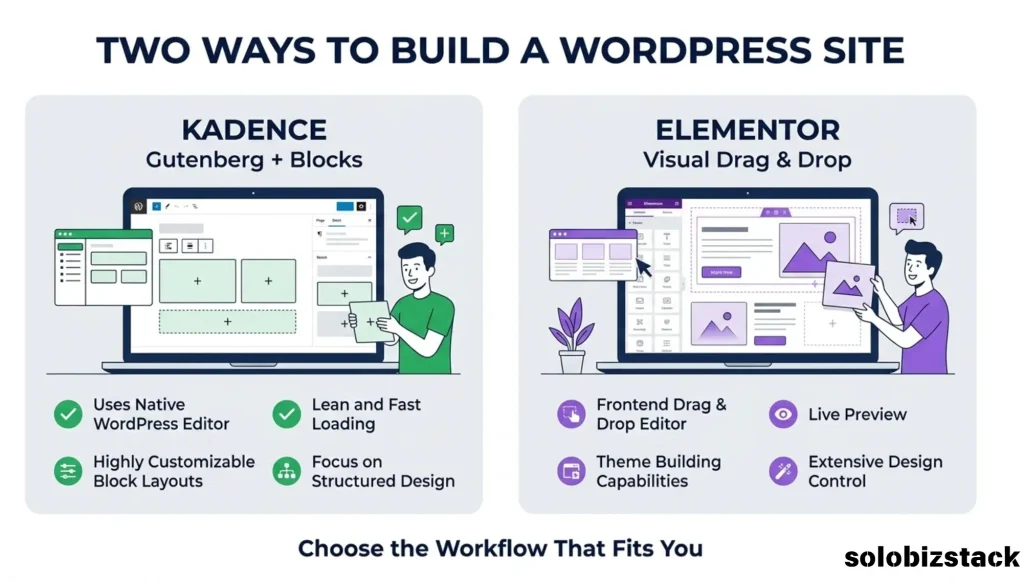
| Feature | Kadence | Elementor |
|---|---|---|
| Main approach | WordPress theme and block-based design tools | Visual drag-and-drop website builder |
| Free version | Kadence Theme and Kadence Blocks | Elementor Website Builder |
| Editing experience | WordPress block editor (Gutenberg) | Separate visual editor |
| Beginner-friendly | Yes, especially for Gutenberg users | Yes, especially for visual editing fans |
| Design flexibility | Strong, with theme settings and blocks | Extensive visual design controls |
| Theme customization | Kadence Theme provides customization options | Advanced site-wide Theme Builder features require a paid plan |
| Templates | Starter Templates and design patterns | Templates and pre-designed layouts |
| Advanced features | Some require Kadence paid products | Many advanced features require Elementor Pro or higher plans |
| Best fit | Blogs, content websites, and users who like Gutenberg | Custom landing pages and visually designed websites |
Feature availability depends on the specific product, version, and plan. Kadence Theme, Kadence Blocks, and Kadence’s paid products are separate components; Elementor Free and paid plans also differ.
The biggest difference is how you build your pages.
Kadence works closely with WordPress’s native block editor. Elementor gives you a separate visual editing environment where you can design pages by dragging elements into place.
That difference matters more than any feature checklist.
What Is Kadence?
Kadence is a WordPress theme and website-building toolkit.
The free Kadence Theme provides layout and customization options for your website. You can use it with WordPress’s native block editor to create pages, posts, headers, footers, and other parts of your site.
Kadence Blocks is a separate plugin that adds more design and layout options to the WordPress editor.
In simple terms, Kadence gives you a way to build and customize your website while staying within the WordPress block editing experience.
This can be especially useful for bloggers and content-focused websites.
For example, if you’re building a blog with category pages, comparison articles, tutorials, and affiliate product reviews, you can use Kadence to create a consistent layout without needing a separate visual builder for every page.
Kadence also offers Starter Templates and design patterns that can help you get a website off the ground faster.
You don’t have to design every section from scratch.
What Is Kadence Blocks?
Kadence Blocks is a plugin that extends the WordPress block editor.
WordPress already includes blocks for headings, paragraphs, images, buttons, and other basic content. Kadence Blocks adds more layout and design options, making it easier to create customized sections.
For example, you can use blocks to create:
- Feature sections
- Call-to-action areas
- Content layouts
- Image and text combinations
- Pricing or service sections
You can start with the free version and explore paid features later if your website needs them.
One important distinction: Kadence Theme and Kadence Blocks are not the same product. You can use the Kadence Theme without Kadence Blocks, and the Blocks plugin is not limited to the Kadence Theme.
What Is Elementor?
Elementor is a visual website builder for WordPress.
Instead of working primarily with WordPress’s standard block editor, Elementor gives you a separate editing interface where you can drag elements onto a page and adjust their appearance.
Want to move a heading? Change its color? Add a button? Adjust the spacing between sections?
You can do much of that directly in the visual editor.
Elementor’s free version includes basic website-building features, while its paid plans add more advanced design, marketing, and site-wide customization capabilities.
For beginners who prefer seeing their design take shape visually, Elementor can feel intuitive.
It’s particularly useful for people who want more direct control over individual page layouts without relying entirely on the native WordPress editor.
Explore Elementor Website Builder →
Kadence vs Elementor: Ease of Use
When you’re building your first WordPress website, ease of use matters.
You don’t want to spend three days figuring out how to create a simple homepage. You want to get your site online and start publishing content.
Is Kadence Easy for Beginners?
Kadence can be beginner-friendly, especially if you’re comfortable learning WordPress’s block editor.
You add blocks, arrange them on the page, and adjust settings in the editor. Once you understand how WordPress blocks work, creating new pages becomes more familiar.
The learning curve usually comes from understanding WordPress itself, along with the Kadence theme settings and the additional options available through Kadence Blocks.
If you’re new to WordPress, it may take a little time to understand where global design settings end and individual block settings begin.
The good news is that once you’ve built a few pages, you can reuse layouts and patterns instead of rebuilding everything from scratch.
For a content-heavy website, that can make your workflow much easier.
Is Elementor Easy for Beginners?
Elementor is designed around visual editing.
You can select an element, change its settings, and see the design update in the editor. This can make the process feel more natural if you prefer working visually rather than navigating block settings.
Elementor also provides a range of pre-designed templates and widgets that can help you build pages without starting from a blank canvas.
However, more design options can also mean more settings to learn.
If you spend too much time adjusting margins, fonts, animations, and layout details, it’s easy to get distracted from actually building your website.
Elementor is accessible to beginners, but learning to use it efficiently still takes practice.
Which Is Easier to Learn?
It depends on your preferred workflow.
If you like WordPress’s native editor and want a straightforward content publishing process, Kadence may feel more natural.
If you prefer a visual canvas where you can move elements around and fine-tune the design, Elementor may be easier for you to understand.
Neither option eliminates the learning curve completely. The best way to decide is to try building the same simple homepage with each tool.
Kadence vs Elementor: Free Version Comparison
For many beginners, the free version is the most important place to start.
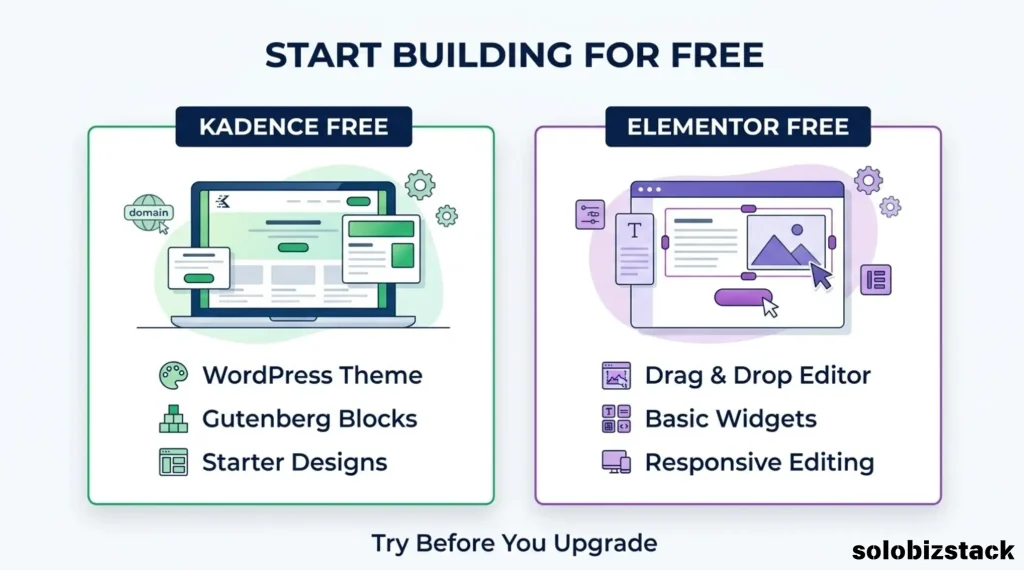
You may not need a paid builder when you’re launching your first blog or business website.
What Can You Do with Kadence Free?
The free Kadence Theme provides a foundation for building and customizing a WordPress website.
When combined with the free Kadence Blocks plugin, you can create more customized layouts using the WordPress block editor.
This is enough for many basic websites, including:
- Personal blogs
- Beginner affiliate websites
- Small business websites
- Simple service pages
- Content-focused websites
Kadence also provides free starter designs and patterns, although some designs and features are limited to paid products.
For a beginner, this means you can build a functional website without immediately purchasing a premium theme or page builder.
What Can You Do with Elementor Free?
Elementor’s free version provides a visual drag-and-drop editor, basic widgets, responsive editing, and tools for creating pages.
You can use it to build landing pages and customize page layouts without paying for Elementor Pro.
However, some advanced features, including the full Theme Builder experience and additional marketing tools, require a paid plan.
If you only need a few custom pages, Elementor Free may be enough to get started.
If you want more advanced control over your entire website, you’ll need to review the paid plan options.
Which Free Version Is Enough?
Both can be useful without an immediate purchase.
Kadence Free is worth exploring if you want to build around Gutenberg and keep your setup simple.
Elementor Free is worth exploring if you want a visual editing experience and prefer designing pages directly on a canvas.
Before paying for either product, try building your homepage, an About page, and a sample blog post. That will give you a much clearer idea of whether the free version meets your needs.
Kadence vs Elementor: Design Flexibility
Both tools can create professional-looking websites, but they approach design differently.
Kadence Design Flexibility
Kadence provides theme-level customization options and block-based design tools.
You can establish consistent typography, colors, layouts, and other design settings across your website. Kadence Blocks adds further layout options within the WordPress editor.
This approach works well if you want your website to have a consistent design without manually adjusting every page.
For example, you could create a standard layout for your blog posts, use the same button style throughout your site, and maintain a consistent look across your Build, Create, Grow, and Sell categories.
Kadence gives you flexibility while keeping much of your work within the WordPress ecosystem.
Elementor Design Flexibility
Elementor focuses on visual design control.
You can customize individual page elements, adjust spacing, control layouts, and build more elaborate page designs through its editor.
Its paid plans add features such as Theme Builder, which can be useful if you want more control over site-wide templates.
This can be helpful for landing pages, custom service pages, or websites that require more detailed visual layouts.
However, having more design freedom doesn’t necessarily mean you’ll build a better website.
For a simple blog, a clean and consistent layout may be more valuable than dozens of advanced design options.
Kadence vs Elementor: Website Speed and Performance
Website speed matters for both user experience and SEO.
A slow website can frustrate visitors, especially on mobile devices. But choosing a theme or builder doesn’t automatically determine how fast your website will be.
Performance depends on several factors, including:
- Your hosting provider
- The theme and plugins you install
- Image sizes and formats
- Page layout complexity
- Caching and optimization settings
- The amount of content and functionality on each page
Kadence is often considered by users looking for a lightweight WordPress theme and a block-based workflow.
Elementor offers more visual design functionality, but the performance of an Elementor website depends on how it’s built and optimized.
It’s not accurate to say that every Kadence website will be faster than every Elementor website.
A well-built Elementor site may perform better than a poorly optimized Kadence site.
For beginners, the practical advice is simple: avoid unnecessary plugins, compress your images, use a suitable hosting plan, and keep your page layouts focused.
If speed is a major concern, test your own website rather than relying entirely on general claims about a builder.
Kadence vs Elementor: Pricing
Pricing can make a real difference when you’re building a website on a limited budget.
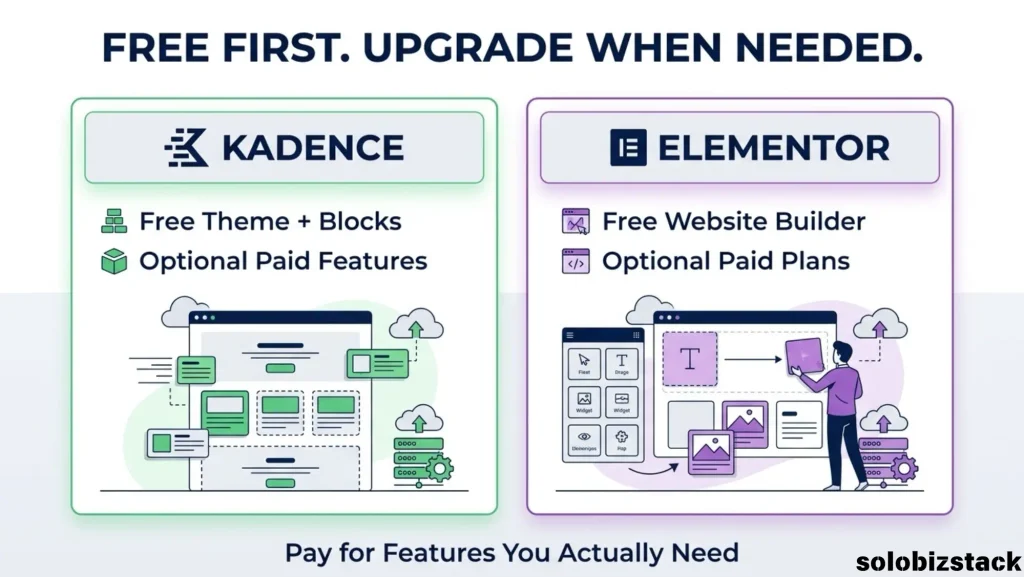
Both Kadence and Elementor offer free options, but their paid products are structured differently.
Kadence Pricing
Kadence offers a free theme and free Kadence Blocks plugin.
It also offers paid plans that bundle additional products, design resources, and advanced features.
The right plan depends on whether you need premium templates, advanced design controls, or other features included in Kadence’s paid toolkit.
If you’re launching your first blog, you may be able to start with the free version and upgrade only when you identify a feature you actually need.
Elementor Pricing
Elementor offers a free website builder and several paid plans.
Paid plans provide access to additional features, with the exact availability depending on the selected plan.
For example, Elementor’s paid offerings include options for Theme Builder, advanced design features, forms, and other tools. The number of supported websites and included features varies by plan.
Before purchasing, compare the current annual cost, renewal price, website limits, and features included in the plan.
Which Is More Affordable?
There isn’t a universal answer.
If the free Kadence setup meets your needs, it may be possible to build your website without paying for a premium builder.
If Elementor Free gives you everything you need, you may not need Elementor Pro either.
The important thing is to compare the features you will actually use, rather than purchasing a plan because it includes the largest number of tools.
Kadence vs Elementor for SEO
Both Kadence and Elementor can be used to build SEO-friendly WordPress websites.
Neither tool automatically guarantees higher Google rankings.
Your SEO results depend on much more than your page builder, including content quality, search intent, internal linking, site structure, page experience, and technical setup.
Kadence’s block-based workflow can be convenient for content-focused websites where you publish articles regularly.
Elementor can also support SEO-friendly pages, provided you create a clear structure, use headings properly, optimize images, and avoid unnecessary design complexity.
For either option, make sure you:
- Use descriptive page titles and headings.
- Keep your navigation easy to understand.
- Add relevant internal links.
- Optimize images and use descriptive ALT text when appropriate.
- Make sure pages work well on mobile devices.
- Use an SEO plugin such as Rank Math if it fits your workflow.
For a beginner affiliate website, your content strategy and site structure are likely to matter much more than the choice between these two tools.
Kadence vs Elementor: Which Is Better for Different Websites?
The best choice depends on what you’re building.
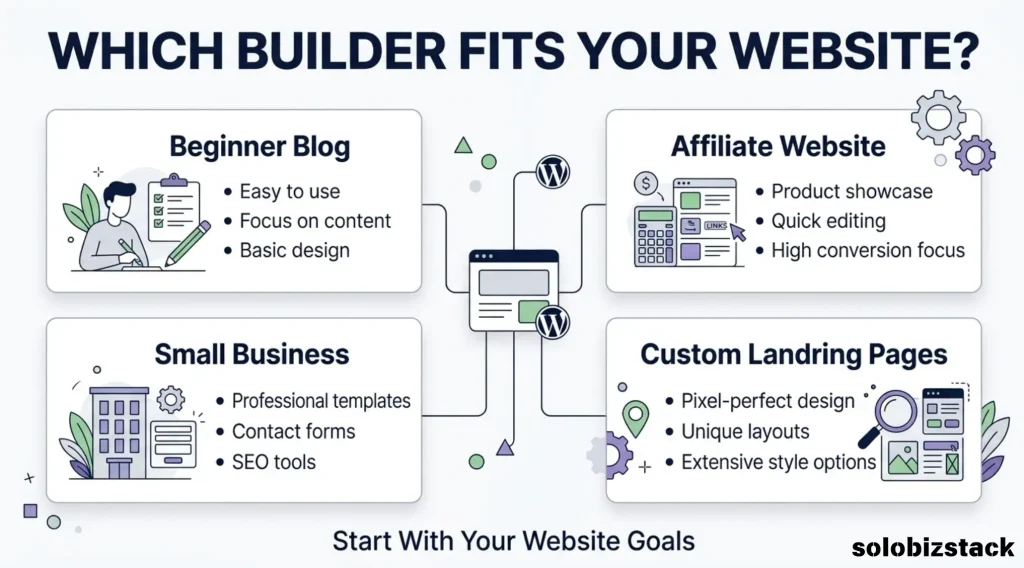
For a Beginner Blog
Kadence is worth considering if you want a content-focused website that uses the native WordPress editor.
Its theme and block tools can help you create consistent layouts for articles, categories, and standard pages.
Elementor can also work for a blog, particularly if you want more visual control over your homepage or custom landing pages.
For an Affiliate Marketing Website
Both can support an affiliate website.
Kadence may be convenient if your site mainly consists of blog posts, comparison articles, product reviews, and resource pages.
Elementor may be useful if you want to create more customized landing pages or visually designed promotional sections.
Whichever you choose, focus on clear content, helpful comparisons, transparent affiliate disclosures, and a website that’s easy to navigate.
For a Small Business Website
Both tools can be used to build a small business website.
Kadence may suit businesses that want a consistent design and straightforward WordPress editing.
Elementor may appeal to businesses that want more visual control over service pages, landing pages, or custom layouts.
The right choice depends on how much customization the business needs and who will maintain the website.
For a Website with Custom Landing Pages
Elementor is worth exploring if your project relies heavily on visually customized landing pages.
Its editor provides direct visual controls, while paid plans add further design capabilities.
Kadence can also build customized pages, but its workflow is more closely tied to the WordPress block editor.
Can You Use Kadence and Elementor Together?
Technically, yes. You can use the Kadence Theme with Elementor.
For example, you might use Kadence as your site’s theme and Elementor to design selected pages.
However, just because you can combine them doesn’t mean you need to.
Using multiple design systems can introduce extra settings to manage and make it harder to maintain a consistent workflow.
If you’re a beginner, I’d recommend starting with one primary page-building approach.
You can always add another tool later if you have a clear reason to do so.
If you’re already using Kadence and Gutenberg, you don’t need to install Elementor simply because it’s popular.
My Recommendation for WordPress Beginners
If you’re building your first WordPress blog or affiliate website, start by identifying what you actually need.
Do you mainly want to publish articles, organize categories, create a clean homepage, and add a few call-to-action buttons?
Or do you need a highly customized visual design with more control over individual page elements?
For a content-focused website, Kadence with Gutenberg is a practical starting point. It gives you a way to build pages and publish content without adding a separate visual builder to your workflow.
If you prefer designing visually and want to adjust page elements directly on a canvas, Elementor is worth trying.
You don’t need to purchase a premium plan right away. Build a few sample pages with the free version first, then decide whether the additional features are worth paying for.
The goal isn’t to use the most powerful builder. It’s to choose a setup that helps you publish, maintain, and grow your website without unnecessary complexity.
Frequently Asked Questions
Is Kadence better than Elementor for beginners?
Kadence may be a good fit for beginners who prefer WordPress’s native block editor and want a content-focused website. Elementor may be a better fit for beginners who prefer visual drag-and-drop editing. The right choice depends on your workflow.
Is Kadence free?
Yes. Kadence offers a free WordPress theme and a free Kadence Blocks plugin. Paid plans are available for users who need additional features and design resources.
Is Elementor free?
Yes. Elementor offers a free WordPress website builder. Paid plans provide additional design, site-wide customization, and other features.
Is Kadence faster than Elementor?
Not in every situation. Performance depends on hosting, design complexity, plugins, images, and optimization. Kadence is often chosen for a lightweight, block-based setup, but actual website performance should be measured rather than assumed.
Can I use Elementor with the Kadence Theme?
Yes. Elementor can be used with the Kadence Theme. However, using both may add complexity if you don’t need the additional design workflow.
Do I need Elementor Pro?
Not necessarily. Elementor Free may be enough for basic pages. Elementor Pro is worth considering if you need specific premium features, such as advanced Theme Builder functionality or other tools included in its paid plans.
Do I need Kadence Pro?
Not necessarily. The free Kadence Theme and Kadence Blocks may be enough for a basic blog or affiliate website. Consider upgrading only when you need a feature that isn’t available in the free version.
Which is better for an affiliate website: Kadence or Elementor?
Both can support affiliate websites. Kadence is worth considering for content-heavy sites built around articles and categories. Elementor may be useful for affiliate sites that need more visually customized landing pages. Content quality, user experience, and site structure remain important regardless of the builder.
Final Verdict: Kadence vs Elementor
Kadence and Elementor can both help beginners build professional WordPress websites, but they offer different editing experiences.
Kadence is a practical option if you prefer Gutenberg, want a content-focused website, and value a straightforward WordPress workflow.
Elementor is worth considering if you prefer visual drag-and-drop editing and want more direct control over page design.
For a new blog or affiliate website, you don’t need to overcomplicate the decision.
Start with the free tools, build a few real pages, and see which workflow feels more comfortable. Upgrade only when you have a clear need.
A website builder should make it easier to build and maintain your website—not become another project that keeps you from publishing.
Official Resources
- Kadence WP
- Kadence Pricing
- Elementor Website Builder
- Elementor Free Website Builder
- Elementor Pricing
Product features, pricing, and plan availability may change. Check the official websites for the latest details before purchasing.

2 Comments