
Hostinger vs SiteGround: Which Web Host Is Better for Beginners?
Last updated: September 2026
Choosing a web hosting provider is one of those decisions that seems simple—until you start comparing plans.
Hostinger and SiteGround both offer WordPress hosting, website management tools, security features, and beginner-friendly ways to get a website online. On the surface, they may look pretty similar.
But the details matter.
The price you see today may not be the price you pay when your plan renews. Some features are only available on higher-tier plans. And the hosting setup that works for a small blog may not be the right fit for a growing business.
So, Hostinger vs SiteGround: which one makes more sense for beginners?
Hostinger may appeal to new website owners who want a relatively low starting cost and a straightforward setup. SiteGround is worth considering if managed WordPress features, daily backups, and its website management tools are high on your list.
Neither provider is the right choice for every website. This guide breaks down the differences so you can choose based on your budget, goals, and the kind of site you plan to build.
Quick links:
Affiliate disclosure: This article may contain affiliate links. If you purchase through one of these links, SoloBizStack may earn a commission at no extra cost to you. Our comparisons are intended to help readers understand their options. Always review the provider’s current terms before purchasing.
Hostinger vs SiteGround at a Glance
If you don’t want to read the entire comparison, here’s a quick overview of what separates these two hosting providers.
| Feature | Hostinger | SiteGround |
|---|---|---|
| Best fit | Beginners, blogs, and small websites | WordPress-focused users and growing websites |
| WordPress hosting | Yes | Yes |
| Free SSL | Included on eligible hosting plans | Included |
| Free domain | Available with eligible plans | Included with eligible plans |
| Website migration | Available; check plan and terms | Free website transfer is advertised |
| Backups | Frequency depends on plan | Daily backups on current hosting plans |
| CDN | Included on current hosting plans | Included |
| Website management | hPanel | Site Tools |
| Staging | Plan dependent | Available on higher plans |
| Introductory pricing | Often low on longer terms | Promotional pricing available |
| Renewal pricing | Check the renewal rate | Check the renewal rate |
| Main consideration | Upfront commitment and renewal cost | Higher ongoing cost on many plans |
Feature availability can change, and not every plan includes the same tools. Check the current plan details before buying.
The short version: Hostinger and SiteGround can both host a beginner WordPress website. The more useful question is whether you prioritize a lower initial cost, a particular management feature, or the support and tools included with your chosen plan.
Hostinger Pricing: What Will You Actually Pay?
Price is often the first thing people notice when comparing Hostinger and SiteGround. And it’s easy to see why.
Hostinger frequently advertises low introductory rates, especially when you choose a longer billing term. For example, its US website has listed the Premium plan at $2.99 per month on a 48-month term, with $143.52 due upfront and a listed renewal rate of $10.99 per month.
That doesn’t mean every visitor will see the same offer. Pricing can vary by location, promotion, and billing period.
The important thing is to understand what the advertised monthly rate represents.
A low monthly equivalent may require paying for several years in advance. When the promotional term ends, the renewal rate may be substantially higher.
Before you buy, check:
- The total amount charged today
- The length of the initial hosting term
- The renewal price and renewal period
- Which features are included in your selected plan
- Whether the free domain offer applies to the domain extension you want
For a new blog or affiliate website, a lower initial cost can make it easier to get started. Just make sure the renewal cost still fits your budget.
Check Hostinger Plans & Current Pricing →
Official pricing: Hostinger Web Hosting
SiteGround Pricing: Look Beyond the Introductory Offer
SiteGround also advertises promotional hosting prices, but its renewal rates are important to understand before choosing a plan.
On SiteGround’s US hosting page, the StartUp plan has been listed at $2.99 per month for the introductory 12-month term, renewing at $17.99 per month. The GrowBig plan has been listed at $4.99 per month, renewing at $29.99 per month.
These are examples from the provider’s current pricing page, not guaranteed offers. Confirm the amount shown for your location and checkout.
SiteGround’s StartUp plan is designed for one website. GrowBig supports multiple websites and adds features such as on-demand backups and staging.
That distinction matters. If you plan to run more than one website, compare the plan that actually supports your needs—not just the cheapest advertised plan.
A higher renewal price doesn’t automatically make a hosting plan a poor fit. It simply means you should decide whether the included features justify the ongoing cost for your project.
Check SiteGround Plans & Current Pricing →
Official pricing: SiteGround Web Hosting
Hostinger vs SiteGround: Which Is Cheaper?
For the plans and promotional examples discussed above, Hostinger’s listed renewal rate is lower than SiteGround’s StartUp and GrowBig renewal rates.
However, a fair comparison should use the same currency, a similar billing period, and plans with comparable features.
Don’t compare a 48-month Hostinger offer with a 12-month SiteGround offer as if the total checkout costs were directly equivalent.
A simple rule: Compare the amount due today and the renewal amount separately. Then decide whether the plan’s features are worth that cost over the period you expect to use it.
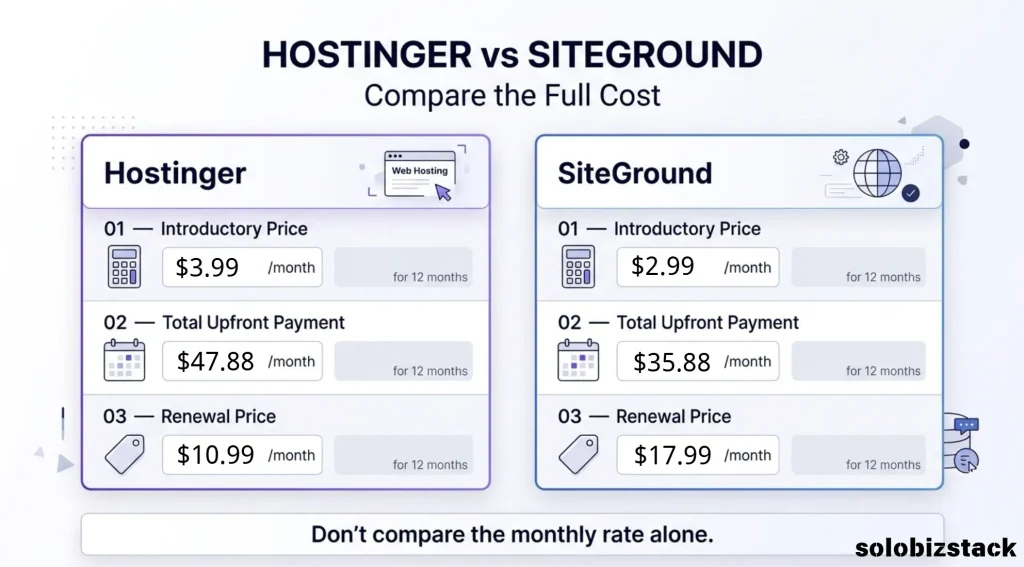
Prices vary by region, plan, and billing term. Check official pricing.
Ease of Use: Which Is Easier for Beginners?
When you’re building your first website, you probably don’t want to spend hours figuring out where everything is.
Both Hostinger and SiteGround offer dashboard-based website management, WordPress tools, and setup options aimed at reducing the technical work involved in launching a website.
Hostinger for Beginners
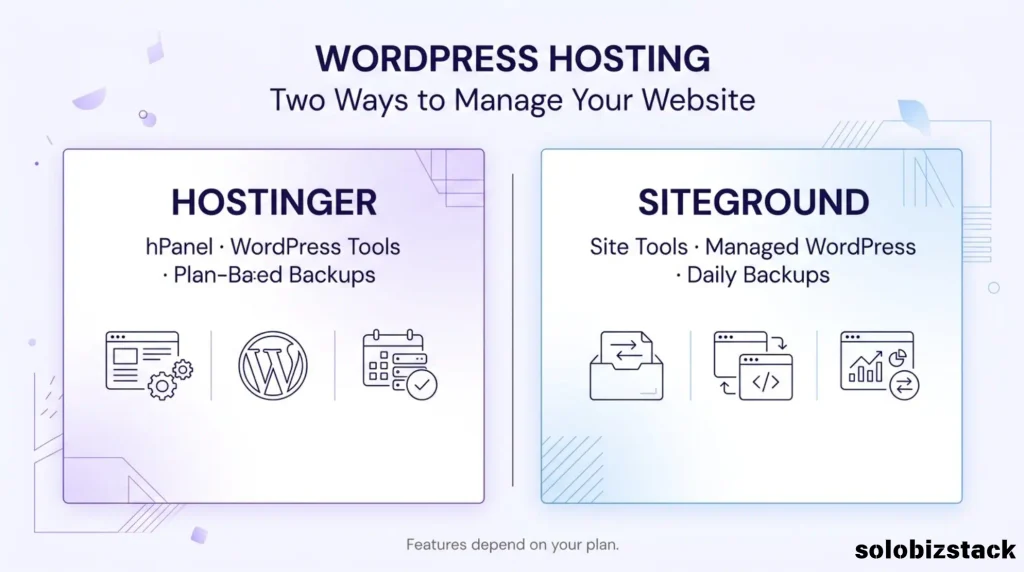
Hostinger uses hPanel to manage hosting and website-related settings. Its hosting plans support WordPress, and the company offers additional website-building tools depending on the plan.
For a beginner creating a blog, portfolio, affiliate website, or small business site, having hosting and common website settings accessible through one dashboard can make the process feel more manageable.
You will still need to learn the basics of WordPress—such as themes, plugins, pages, and backups—but you don’t need to be a developer to get started.
SiteGround for Beginners
SiteGround uses Site Tools to manage website settings, security, backups, and other hosting features.
Its plans also include WordPress-related tools and managed services. Depending on the plan, these can help with tasks such as site migration, backups, and staging.
SiteGround is not only for experienced users. Beginners can use it too. The key difference is which tools and plan features you want access to as your website grows.
Bottom line: Both providers are viable for beginners. Look at the dashboard and setup process, but don’t let a long feature list distract you from the basics: Can you install WordPress, manage your domain, secure your site, and get help when you need it?
Hostinger vs SiteGround for WordPress
If you’re planning to build a WordPress website, both providers are relevant options.
The WordPress software itself is the same whichever host you choose. What changes is the hosting environment, included tools, support, and plan limits.
Hostinger WordPress Hosting
Hostinger’s WordPress hosting plans include website management features, SSL, CDN, and backups, with the exact features depending on the plan.
For a new WordPress blog or affiliate website, this may be enough to get online without paying for advanced hosting features you don’t need yet.
Hostinger may be worth considering if your priority is to launch a small website, learn WordPress, and keep your initial hosting costs manageable.
SiteGround WordPress Hosting
SiteGround puts a strong emphasis on WordPress management. Its current hosting offering includes managed WordPress updates, migration tools, and other management features. Higher plans add options such as staging and on-demand backups.
Staging can be useful when you want to test changes before applying them to your live website. For example, you may want to test a new theme or plugin without immediately changing what visitors see.
If you expect to make frequent changes or want access to specific WordPress management features, compare SiteGround’s plan details carefully.
Which Is Better for a WordPress Blog?
For a small blog or new affiliate website, either provider may be sufficient.
You don’t necessarily need the most advanced hosting plan to publish articles, build pages, and start attracting visitors. Choose a plan that supports your current needs and leaves room for reasonable growth.
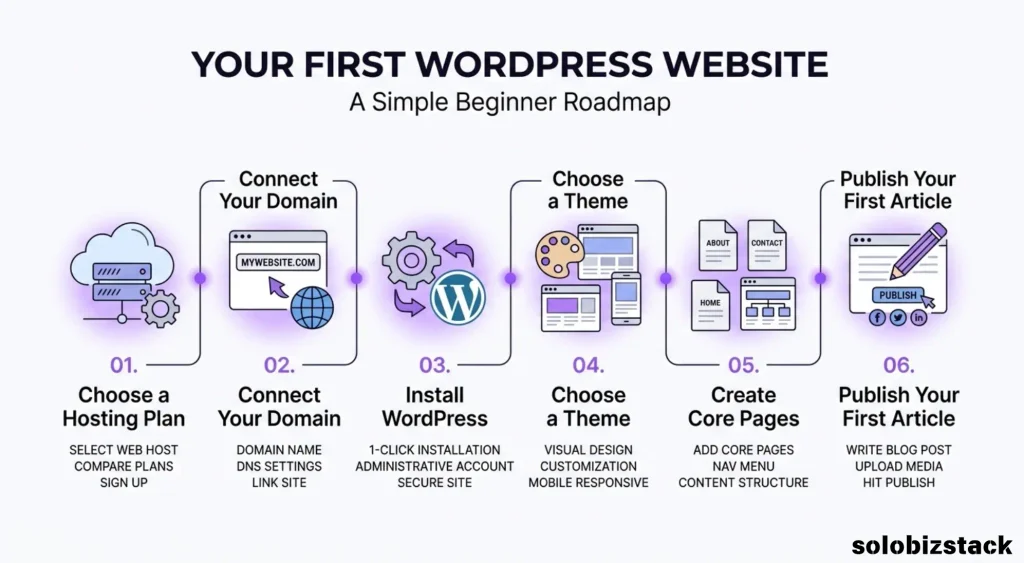
If you’re still building your first WordPress site, read our guide:
Read How to Build a WordPress Website for Beginners →
Performance: Is Hostinger Faster Than SiteGround?
Website speed matters. A slow website can frustrate visitors, and performance is one of the many factors to consider when building a site.
But it’s difficult to make a universal claim that one hosting company is always faster than the other.
Your website’s performance depends on more than the hosting provider. It can also be affected by:
- The hosting plan and available resources
- Your WordPress theme and plugins
- Image sizes and file formats
- Caching settings
- CDN configuration
- Traffic levels and visitor locations
- How well your website is maintained
Both Hostinger and SiteGround advertise performance-related tools, including CDN features. SiteGround also highlights its multilevel caching technology.
Those features can be useful, but they don’t guarantee that every website hosted on one provider will outperform a comparable site on the other.
If speed is a major concern, compare the plan features and look for independent tests that explain their testing methods, server locations, website configuration, and measurement period.
For a beginner publishing a modest WordPress site, a well-configured website on either provider may be more useful than paying extra for a plan based on an unverified speed claim.
Customer Support: What Should Beginners Consider?
Support becomes important when something doesn’t work.
Maybe your WordPress site displays an error. Maybe a plugin causes a problem. Or maybe your domain isn’t pointing to the right place.
Both Hostinger and SiteGround advertise 24/7 support. SiteGround emphasizes expert support and WordPress-focused tools, while Hostinger offers support alongside its hosting and website setup services.
The quality of a support experience can depend on the issue, the plan, and the way you contact the provider. A company’s support claims alone can’t guarantee that every issue will be resolved quickly.
Before purchasing, consider:
- Which support channels are available?
- Can you access help at the times you need it?
- Are WordPress-related issues covered?
- Is there a useful knowledge base?
- Are any support features limited to higher plans?
For beginners, accessible documentation and clear troubleshooting steps can be just as useful as live support.
Backups, Security, and Website Management
A hosting plan is about more than getting your website online. You also need to protect it and keep it manageable.
Backups
SiteGround advertises daily backups on its hosting plans. Hostinger’s backup frequency depends on the plan you choose.
Before buying, check how often backups are created, how long they are retained, and whether restoring a backup is included.
For an affiliate blog, a backup can be especially useful if a plugin update, theme change, or accidental edit causes a problem.
Regardless of your hosting provider, consider keeping an independent backup of important website data. A backup plan should not rely entirely on a single service.
SSL and Security
Both providers include SSL on their hosting offerings. SSL helps encrypt data exchanged between a visitor’s browser and your website.
However, SSL alone does not make a website completely secure. Keep WordPress, themes, and plugins updated, use strong passwords, and remove plugins you no longer need.
Website Management Tools
Hostinger uses hPanel, while SiteGround uses Site Tools. Both provide a central place to manage hosting-related settings.
The best dashboard for you is the one that helps you complete common tasks without unnecessary confusion. If you’re unsure, review each provider’s current documentation before committing to a long hosting term.
Hostinger Pros and Cons
Hostinger Pros
- Beginner-oriented hosting and website setup
- Competitive introductory offers on eligible longer-term plans
- WordPress hosting available
- Website management through hPanel
- Multiple websites supported on eligible plans
- CDN and other website tools included on current plans
Hostinger Cons
- Introductory pricing can differ substantially from renewal pricing
- Longer billing terms may require a larger upfront payment
- Backup frequency and other features depend on the plan
- Some features may require a higher-tier plan
Hostinger may be worth considering if you want to launch a small website without committing to a more expensive hosting setup from the beginning. Just make sure the renewal price and plan limits work for you.
Explore Hostinger Plans →
SiteGround Pros and Cons
SiteGround Pros
- Strong focus on WordPress management
- Free website transfer is advertised
- Daily backups on current hosting plans
- SSL and CDN included
- Managed WordPress updates
- Staging and on-demand backups available on eligible higher plans
SiteGround Cons
- Renewal prices can be substantially higher than introductory prices
- StartUp is designed for one website
- Some advanced features require a higher-tier plan
- The ongoing cost may be more than a small, new website needs
SiteGround may be worth considering if you value its WordPress management tools and backup options enough to justify the plan’s ongoing cost.
Explore SiteGround Plans →
Who Should Choose Hostinger?
Hostinger may be a good fit if you’re:
- Building your first WordPress website
- Starting a blog or affiliate site
- Creating a portfolio or small business website
- Testing an online business idea
- Looking for a lower introductory hosting cost
- Planning to run multiple small websites on an eligible plan
For a new website, it can be practical to start with a plan that covers your basic needs instead of paying for advanced features you may not use.
Before choosing Hostinger, make sure you’re comfortable with the upfront billing term and the renewal price.
Who Should Choose SiteGround?
SiteGround may be worth considering if you’re:
- Looking for WordPress-focused management features
- Interested in daily backups
- Planning to use staging on an eligible plan
- Migrating an existing website
- Willing to pay more for the tools included in your selected plan
- Managing a website where backup and workflow features are important
SiteGround’s higher-tier features may be useful for some projects, but you don’t need to buy a more expensive plan simply because you’re a beginner. Start with the features your website actually requires.
Hostinger vs SiteGround for an Affiliate Website
If you’re building an affiliate website, your hosting needs are usually straightforward at the beginning.
You need a reliable place to host WordPress, publish content, manage your pages, and keep your site secure. As your website grows, you may also care more about backups, staging, performance, and the time it takes to manage updates.
For a new affiliate site, Hostinger may appeal to people who want a lower initial cost and a simple setup.
SiteGround may appeal to people who place more value on its WordPress management tools and backup features.
Neither provider can guarantee affiliate income, search rankings, or website growth. Hosting is only one part of the business. Your content quality, site structure, audience needs, and promotion strategy also matter.
For SoloBizStack readers, the practical approach is to choose a plan that supports the website you are building today—without ignoring the cost of keeping it online in the future.
Hostinger vs SiteGround: Final Comparison Checklist
Before you purchase either hosting plan, take a few minutes to check the following:
| Question | Why It Matters |
|---|---|
| How much is due today? | The advertised monthly price may require upfront payment. |
| What is the renewal price? | Your ongoing cost may be much higher than the introductory rate. |
| How long is the initial term? | A longer term can mean a larger upfront commitment. |
| How many websites can I host? | Some entry-level plans support only one website. |
| How often are backups created? | Backup frequency and retention affect recovery options. |
| Does the plan include staging? | Useful if you want to test changes before publishing them. |
| Can I migrate my website? | Important if you’re moving an existing site. |
| Does the plan fit my current needs? | Avoid paying for features you don’t expect to use. |
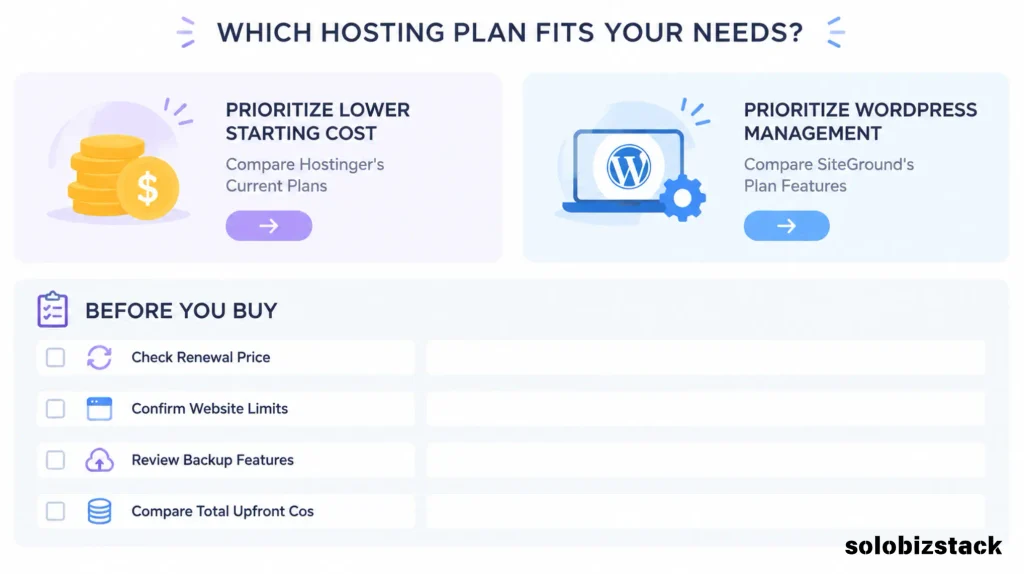
If you’re comparing two plans, write down the total cost for the first term and the renewal rate. That simple step can make the decision much clearer.
Frequently Asked Questions
Is Hostinger better than SiteGround for beginners?
Both providers offer beginner-friendly hosting options. Hostinger may appeal to beginners who prioritize a lower initial cost, while SiteGround may suit users who want particular WordPress management features. The right fit depends on your budget and needs.
Is Hostinger cheaper than SiteGround?
Hostinger’s current US Premium offer lists a lower renewal rate than SiteGround’s StartUp and GrowBig examples discussed in this article. However, prices vary by region and plan. Compare the exact billing term, upfront payment, and renewal price before buying.
Can I use WordPress with Hostinger and SiteGround?
Yes. Both providers offer WordPress hosting. Check the plan details to confirm which management, backup, and staging features are included.
Does SiteGround include daily backups?
SiteGround currently advertises daily backups on its hosting plans. Review the provider’s backup documentation for retention, restoration, and plan-specific details.
Does Hostinger include a free domain?
Hostinger includes a free domain for one year with eligible plans. Eligibility and supported domain extensions may vary, so check the offer before checkout.
Can I move my website from Hostinger to SiteGround later?
In general, WordPress websites can be migrated between hosting providers. The process may involve transferring website files, databases, email settings, and DNS records. Check the migration options and terms offered by your chosen provider.
Which hosting provider is better for an affiliate blog?
Both can host an affiliate blog. Hostinger may be attractive for a new site where initial cost is a priority. SiteGround may be worth considering if you value its WordPress management and backup features. Neither provider guarantees traffic or affiliate revenue.
Final Thoughts: Hostinger vs SiteGround
Hostinger and SiteGround can both be reasonable options for a beginner building a WordPress website. The differences become clearer when you look beyond the promotional price.
Hostinger may fit people who want a straightforward setup and a lower initial hosting cost. SiteGround may suit people who value its WordPress management tools, daily backups, and other features available on eligible plans.
Before making your decision, compare the full upfront cost, renewal price, website limits, and features included in the exact plan you intend to buy.
And remember: you don’t need the most expensive hosting plan to launch a useful website. Start with what your project needs, keep your long-term costs in view, and upgrade when there’s a clear reason to do so.
Ready to compare the current plans?
Check Hostinger Plans →
Check SiteGround Plans →
Prices, promotions, and plan features may change. Confirm the latest details on the providers’ official websites before purchasing.


7 Comments