SiteGround Review: Is It Worth It? (2026)
Updated September 2026

Choosing a web host is one of those decisions that seems simple until you actually start comparing plans.
At first, everything looks pretty similar. Most hosting companies promise fast websites, reliable uptime, strong security, and easy WordPress setup. Then you look at the renewal prices, and things get a little more complicated.
SiteGround is a popular option for WordPress websites, bloggers, and small businesses. It offers managed WordPress features, daily backups, free SSL certificates, and customer support. But it also comes with something beginners should pay attention to: the difference between the introductory price and the regular renewal price.
So, is SiteGround worth it in 2026?
In this SiteGround review, we’ll look at its pricing, features, pros and cons, and how it compares with Hostinger. We’ll also cover who may benefit from SiteGround and who might be better off choosing a more budget-friendly option.
The goal is simple: help you decide whether SiteGround makes sense for your website and your budget.
Quick answer: SiteGround is worth considering if you want managed WordPress features, daily backups, and access to support when something goes wrong. However, its renewal pricing can be a drawback for beginners who are trying to keep website costs low.
Check SiteGround Hosting Plans →
Affiliate Disclosure: This article contains affiliate links. If you purchase through these links, SoloBizStack may earn a commission at no extra cost to you. Our goal is to provide helpful information so you can make an informed decision.
SiteGround Review: Key Takeaways
If you don’t have time to read the entire review, here’s a quick overview.
| Feature | What You Should Know |
|---|---|
| Best for | WordPress websites, bloggers, and small businesses |
| Beginner-friendly | Yes, especially for users who want managed WordPress tools |
| WordPress hosting | Yes |
| Free SSL | Included |
| Daily backups | Included in current shared hosting plans |
| Free website migration | Available |
| Customer support | 24/7 support |
| Main drawback | Renewal pricing can be significantly higher than the introductory rate |
| Budget-friendly? | Depends on your plan, region, and renewal budget |
SiteGround offers a range of managed hosting features, but whether it’s the right choice depends on what you need from your hosting plan.
For a brand-new blog with a tight budget, price may be the deciding factor. For a business website where support, backups, and convenient WordPress management matter more, SiteGround may be worth a closer look.
What Is SiteGround?
SiteGround is a web hosting company that provides hosting services for WordPress websites, blogs, business websites, and other online projects.
Its hosting platform includes tools designed to make website management easier, particularly for WordPress users. Depending on the plan, these include automated backups, caching, security tools, website migration, and staging features.
In simple terms, SiteGround handles much of the server-side work needed to keep your website online, while you focus on creating content, managing your business, or growing your audience.
For someone building their first WordPress website, that can be helpful. You don’t necessarily need to understand server administration just to get a website running.
However, SiteGround is not the only company offering managed WordPress hosting. It’s worth comparing its pricing and features with other providers before making a decision.
Visit SiteGround’s Official Website →
SiteGround Pricing: How Much Does It Cost?
Pricing is one of the most important things to understand before buying SiteGround hosting.
SiteGround advertises introductory prices that can look attractive, especially if you’re launching your first website. The important thing is to look beyond the promotional rate.
SiteGround’s US WordPress hosting page currently lists these plans:
| Plan | Introductory Price | Listed Renewal Price | Website Limit |
|---|---|---|---|
| StartUp | $2.99/mo | $17.99/mo | 1 website |
| GrowBig | $4.99/mo | $29.99/mo | Unlimited |
| GoGeek | $7.99/mo | $44.99/mo | Unlimited |
Prices are based on the US pricing page reviewed for this article. Promotional rates and renewal prices may change. Plans are prepaid, and the displayed monthly rate may require a specific initial billing term. Check the final checkout price before purchasing.
See Current SiteGround Prices →
StartUp: For One Small Website
StartUp is SiteGround’s entry-level shared hosting plan.
It’s designed for people who need to host a single website, such as a personal blog, portfolio, or small business site.
The plan includes features such as free SSL, daily backups, email hosting, and WordPress management tools.
If you’re starting one website and don’t expect to manage several projects under the same account, StartUp may be enough.
The main thing to consider is the renewal cost. A low introductory rate can make the first year affordable, but the regular price may be a different story.
GrowBig: For Growing Websites
GrowBig is designed for users who need more room to grow.
Compared with StartUp, it supports multiple websites and includes additional features such as on-demand backups, staging, and enhanced performance resources.
Staging is particularly useful if you regularly update your WordPress site. It allows you to test changes in a separate environment before making them live.
For a blogger or solopreneur who manages multiple websites, GrowBig may be worth considering.
Still, don’t upgrade just because a plan has more features. If you’re running one new blog, you may not need them yet.
GoGeek: For More Advanced Needs
GoGeek is SiteGround’s higher-tier shared hosting plan.
It includes more resources and additional tools, such as staging, Git integration, and white-label access.
These features may be useful for developers, agencies, or people managing websites for clients.
For someone launching their first blog, however, GoGeek is probably more than they need.
It’s usually better to start with a plan that fits your current requirements and upgrade when your website actually needs more resources.
Is SiteGround Expensive After Renewal?
This is where you need to pay attention.
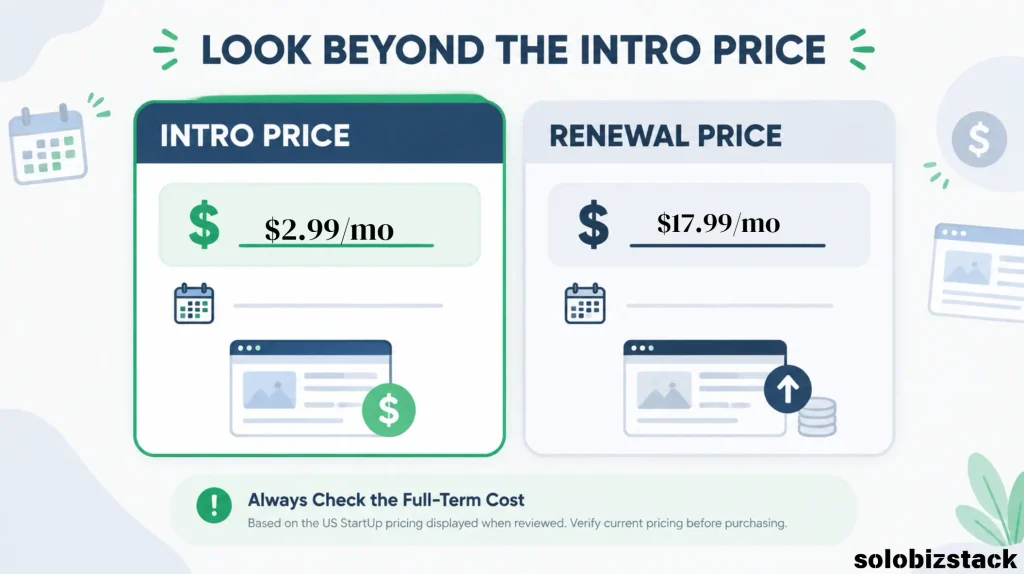
A hosting plan advertised at $2.99 per month may sound inexpensive. But if it renews at $17.99 per month, your ongoing hosting cost will be much higher than the introductory rate suggests.
For example, using the listed US StartUp renewal price:
- Introductory rate: $2.99/month
- Regular renewal rate: $17.99/month
- Difference: $15/month
That doesn’t automatically make SiteGround a bad deal. Hosting costs should be considered alongside the features, support, and convenience you receive.
But if you’re building a new affiliate blog and every dollar matters, renewal pricing should be part of your decision from day one.
My advice: Before purchasing, check the total amount due today, the initial billing period, and the renewal price. Don’t make your decision based on the promotional monthly rate alone.
SiteGround Features: What Do You Actually Get?
SiteGround includes several features that can make WordPress website management easier.
Let’s look at the ones that matter most to beginners and small website owners.
1. Managed WordPress Hosting
SiteGround offers WordPress-focused hosting tools designed to simplify website setup and maintenance.
This can be useful if you don’t want to spend your time figuring out server configurations or handling every technical task yourself.
You still need to manage your WordPress content, plugins, theme, and website settings. But having hosting tools designed around WordPress can make some tasks easier.
2. Free SSL Certificates
SSL helps encrypt the connection between your website and its visitors.
It’s an essential feature for most modern websites, particularly if you want visitors to feel comfortable browsing your site or submitting information through a form.
SiteGround includes free SSL certificates with its hosting plans.
3. Daily Backups
Website backups are easy to ignore until something goes wrong.
A plugin update might cause a conflict. You could accidentally delete important content. Or a website change might not work as expected.
SiteGround includes daily backups on its shared hosting plans, giving you a recovery option if you run into a problem.
Keep in mind that backups are not a replacement for having your own backup strategy. For an important business website, maintaining an independent backup can provide an additional layer of protection.
4. Website Migration
Already have a WordPress website hosted somewhere else?
SiteGround offers website migration tools, including its WordPress Migrator plugin.
This can make moving an existing WordPress site easier than manually transferring files and databases.
If you’re switching hosts, check which migration method is available for your website and whether you need to complete any steps yourself.
5. Caching and Performance Tools
SiteGround provides caching and performance tools designed to help WordPress websites load efficiently.
Its SiteGround Speed Optimizer plugin helps users manage performance-related settings.
However, no hosting company can guarantee that every website will load quickly under every condition.
Your website’s theme, plugins, image sizes, traffic levels, and page design all play a role in performance.
A well-optimized website on a suitable hosting plan is usually more useful than simply paying for a higher-tier plan without addressing website performance issues.
6. Customer Support
SiteGround advertises 24/7 customer support.
This can be valuable if you’re new to WordPress and run into a hosting-related problem.
For example, you might need help with a migration, a hosting configuration, or a website that isn’t behaving as expected.
It’s important to distinguish hosting support from general WordPress assistance, though. Support may not cover every issue caused by third-party plugins, custom code, or your website’s design.
Still, having access to support is worth considering if you don’t feel comfortable troubleshooting technical problems on your own.
SiteGround Pros and Cons
No hosting provider is perfect for every website.
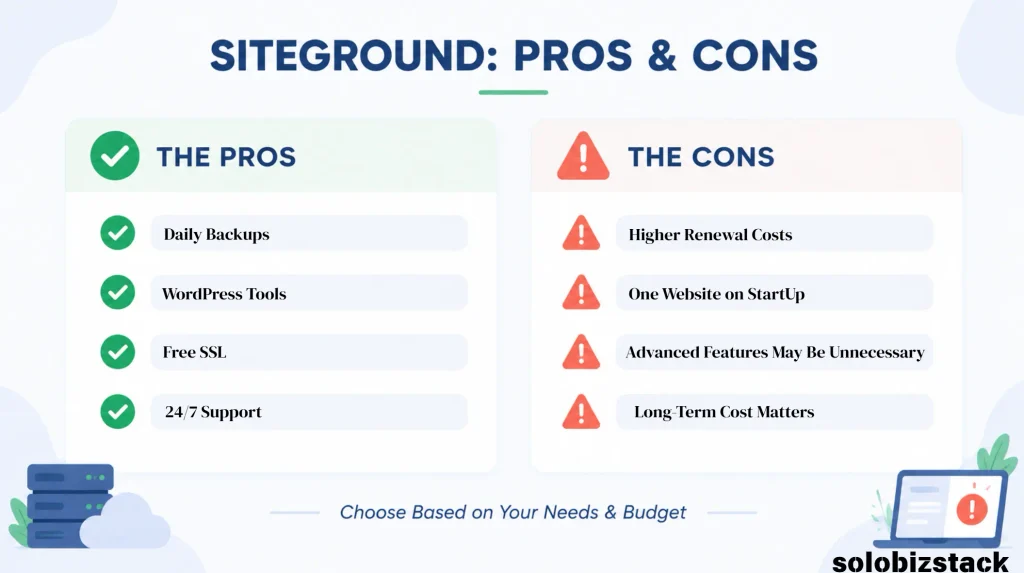
Here’s a straightforward look at the main advantages and disadvantages of SiteGround.
SiteGround Pros
1. Useful WordPress management tools
SiteGround offers features that can simplify common WordPress tasks, including backups, caching, and website migration.
2. Daily backups included
Having daily backups available can make website maintenance less stressful, particularly for beginners.
3. Free SSL certificates
You don’t need to purchase a separate SSL certificate for a typical website hosted on its shared plans.
4. Multiple website support on higher plans
GrowBig and GoGeek can accommodate multiple websites, which may be useful as your online projects expand.
5. Support is available around the clock
24/7 support can be helpful when you run into hosting-related issues outside normal business hours.
SiteGround Cons
1. Renewal prices are much higher than introductory prices
This is the biggest consideration for budget-conscious beginners.
2. The entry-level plan supports only one website
If you plan to manage several websites, you’ll need to look at a higher-tier plan.
3. Higher-tier features may be unnecessary for beginners
Staging, Git integration, and other advanced tools aren’t essential for every new blog.
4. Performance still depends on your website
A hosting plan alone won’t fix a bloated theme, oversized images, or poorly configured plugins.
5. Long-term costs need careful planning
If you’re planning to keep your website for several years, calculate the renewal cost rather than focusing only on the first term.
SiteGround vs Hostinger: Which One Should You Choose?
If you’re comparing hosting providers for a new WordPress website, Hostinger is another option worth considering.
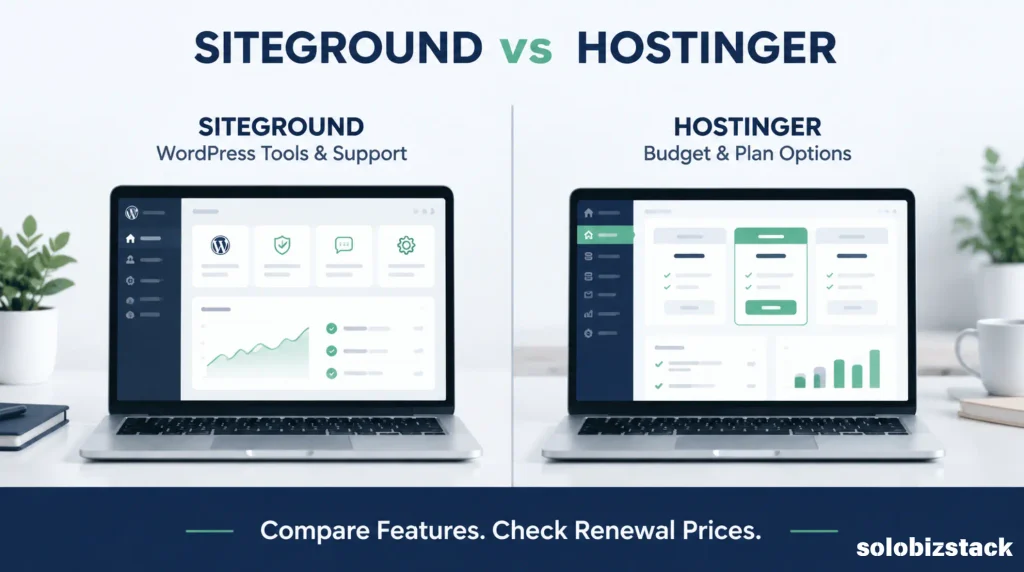
Both companies offer WordPress hosting, free SSL, migration options, and tools for managing your website.
The differences become more noticeable when you compare their plan structures, renewal pricing, and included features.
| Feature | SiteGround | Hostinger |
|---|---|---|
| WordPress hosting | Yes | Yes |
| Free SSL | Yes | Yes |
| Website migration | Available | Available |
| Daily backups | Included on current shared plans | Depends on plan |
| Multiple websites | Depends on plan | Depends on plan |
| WordPress management tools | Yes | Yes |
| Renewal pricing | Check plan and region | Check plan and region |
| Best fit depends on | Support, management tools, and plan needs | Budget, included resources, and plan needs |
Feature availability varies by plan and region. Compare the exact plans you’re considering before purchasing.
When SiteGround May Make More Sense
SiteGround may be worth considering if you value its WordPress management tools, daily backups, and support options.
It’s also worth a look if you’re already familiar with SiteGround or are moving a website that benefits from its available features.
When Hostinger May Make More Sense
Hostinger may be worth considering if you’re starting with a limited budget and want to compare lower-cost hosting options.
Its plans have different website limits, storage allowances, and backup schedules, so make sure you’re comparing equivalent plans rather than just the lowest advertised prices.
Which Hosting Provider Is Right for Your Website?
There’s no single answer that works for every beginner.
If your priority is keeping costs down, compare the full initial and renewal costs of both providers.
If your priority is a particular WordPress feature or support option, check whether it’s included in the exact plan you’re considering.
You can read our detailed comparison here:
Hostinger vs SiteGround: Which Web Host Is Better for Beginners? →
You may also want to read our guide to choosing a hosting plan before making a final decision.
Best Website Hosting for Beginners →
Is SiteGround Good for Beginners?
SiteGround can be a suitable option for beginners, particularly those who want WordPress-focused tools and access to customer support.
You don’t need to be a developer to launch a WordPress website on SiteGround.
However, being beginner-friendly doesn’t automatically mean it’s the right choice for every beginner.
If you’re launching your first blog, you may not need all the features offered by a higher-tier hosting plan.
And if your budget is tight, the renewal price could become a concern after the introductory period.
Before choosing SiteGround, ask yourself three questions:
- Am I building one website or several?
- Do I need the additional management features included in the plan?
- Am I comfortable paying the regular renewal price?
If the answers fit your needs and budget, SiteGround may be a reasonable option to consider.
If not, comparing other hosting providers before committing could save you money over time.
Is SiteGround Worth It for a WordPress Blog?
For a WordPress blog, SiteGround’s value depends on how you plan to use your website.
If you’re building a small personal blog, a basic hosting plan may be enough. You may not need advanced staging features or additional resources at the beginning.
If you’re building a business-focused blog, affiliate website, or content site that you plan to maintain over several years, features such as backups, migration tools, and WordPress management may be more relevant.
That doesn’t mean you need to spend more to build a successful blog.
Your hosting plan is just one part of the picture. Content quality, site structure, user experience, and consistent publishing all matter too.
For a new affiliate website, I’d focus on choosing a plan that meets your current needs without putting unnecessary pressure on your budget.
You can always review your hosting setup as your website grows.
How to Get Started with SiteGround
If you’ve decided that SiteGround fits your needs, getting started is relatively straightforward.
Step 1: Choose a Hosting Plan
Visit SiteGround’s official website and compare StartUp, GrowBig, and GoGeek.
Pay attention to the number of websites supported, available features, introductory pricing, and renewal costs.
Step 2: Register or Connect Your Domain
Follow the signup process to register a domain or connect an existing one.
If you’ve already purchased a domain, check the instructions for pointing it to your new hosting account.
Step 3: Install WordPress
SiteGround offers WordPress installation tools to help you get your website started.
Follow the setup instructions in your hosting account.
Step 4: Choose a WordPress Theme
Once WordPress is installed, you can choose a theme that fits your website.
For a beginner-friendly website, a lightweight theme with a straightforward customization process can make things easier.
If you’re building a website similar to SoloBizStack, you might want to explore our WordPress beginner guide.
How to Build a WordPress Website for Beginners →
Step 5: Set Up the Basics
Before publishing your first article, take care of a few essentials:
- Install an SEO plugin.
- Set up your website navigation.
- Configure your permalink structure.
- Create important pages such as About, Contact, and Privacy Policy.
- Set up a backup routine.
- Test your website on desktop and mobile.
You don’t need to build everything in one day. Start with the essentials and improve your website as you go.
Check SiteGround Hosting Plans →
Frequently Asked Questions
Is SiteGround worth it in 2026?
SiteGround may be worth it if you value its WordPress management tools, daily backups, and support options. Whether it’s worth the cost depends on your website’s needs and the renewal price of your selected plan.
Is SiteGround good for beginners?
Yes. SiteGround offers WordPress-focused hosting tools and support that can help beginners manage a website. However, beginners should compare renewal costs and avoid paying for features they don’t need.
Is SiteGround better than Hostinger?
Neither provider is automatically better for every website. SiteGround and Hostinger have different plan structures, features, and pricing. Compare the exact plans based on your budget and requirements.
Does SiteGround offer a free domain?
SiteGround’s current US WordPress hosting offer advertises a free domain with eligible plans. Check the current offer and domain conditions before purchasing, as promotions may change.
Does SiteGround include SSL?
Yes. SiteGround includes free SSL certificates with its shared hosting plans.
Does SiteGround offer a money-back guarantee?
SiteGround advertises a 30-day money-back guarantee for its shared hosting plans. Check the current refund policy for eligibility, exclusions, and applicable terms before purchasing.
Can I move my WordPress website to SiteGround?
Yes. SiteGround offers WordPress migration tools, including its WordPress Migrator plugin. The steps required depend on your current hosting setup and website.
Which SiteGround plan should I choose?
StartUp may be sufficient for one small website. GrowBig may be worth considering if you need multiple websites, staging, or on-demand backups. GoGeek is designed for users who need additional resources and more advanced features.
Always compare the current plan details before making a purchase.
Final Thoughts: Should You Choose SiteGround?
SiteGround is a hosting provider worth considering, especially if you’re building a WordPress website and value managed hosting features, daily backups, and access to support.
But it’s not automatically the right choice for every beginner.
The biggest thing to consider is the long-term cost. An attractive introductory offer can make hosting look inexpensive, but the renewal price is what you’ll need to budget for if you plan to keep your website running.
If SiteGround’s features fit your needs and you’re comfortable with the renewal cost, it may be a suitable option.
If you’re launching your first blog on a tight budget, take a little time to compare it with Hostinger and other beginner-friendly hosting providers.
The best hosting plan is the one that fits your website, your technical comfort level, and your budget—not necessarily the one with the longest feature list.
View SiteGround Hosting Plans →
Pricing and plan details can change. Please verify current terms on SiteGround’s official website before purchasing.
Sources & Further Reading
- SiteGround WordPress Hosting Plans
- SiteGround vs Hostinger — Official Comparison
- SiteGround Hosting Renewal Information
- SiteGround Official Website
This article is for informational purposes. Features, prices, promotions, and terms may change. Always confirm details with the hosting provider before purchasing.