Best Content Planning Tools for Bloggers (2026): 6 Tools Compared
Keeping a blog organized sounds easy until you have a dozen article ideas, three unfinished drafts, images to create, and no clear plan for what to publish next.
That is usually when a simple content planning system starts to matter. You need somewhere to save ideas, track writing progress, plan publication dates, and remember what needs to happen after an article goes live.
The good news is that you don’t need an expensive content platform to get organized. A spreadsheet may be enough for a new blog. If you have a growing content library or a more complicated workflow, a tool with databases, calendar views, or task management features may save you more time.
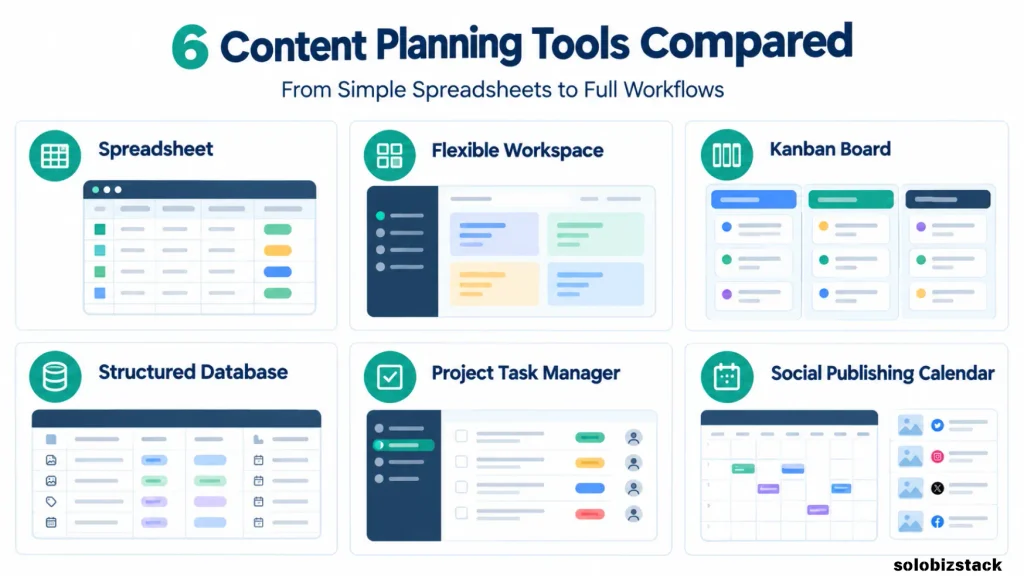
In this guide, we’ll compare six of the best content planning tools for bloggers in 2026: Google Sheets, Notion, Trello, Airtable, ClickUp, and CoSchedule. We’ll look at what each tool does well, its limitations, who should consider it, and when upgrading makes sense.
The goal isn’t to find the tool with the most features. It’s to find a system you’ll actually use when it’s time to write your next article.
Affiliate Disclosure: This article may contain affiliate links. If you purchase through these links, SoloBizStack may earn a commission at no extra cost to you. We aim to provide useful, honest information to help you make an informed decision.
Quick Comparison: Best Content Planning Tools for Bloggers
| Tool | Best For | Free Option | Main Strength |
|---|---|---|---|
| Google Sheets | Beginners and solo bloggers | Yes | Simple, flexible editorial calendar |
| Notion | Bloggers who want one central workspace | Yes | Combining article briefs, notes, databases, and calendars |
| Trello | Visual planners | Yes | Moving articles through a clear writing workflow |
| Airtable | Bloggers with a structured content library | Yes | Custom fields and multiple ways to view content |
| ClickUp | Bloggers managing many tasks or contributors | Yes | Connecting article planning with tasks and deadlines |
| CoSchedule | Bloggers who also plan social distribution | Limited free social scheduling | Coordinating content and social publishing |
Free plans and paid features vary by product. Pricing details below are shown in USD where applicable and were checked against the vendors’ published pages on November 7, 2026. Offers, billing options, and feature limits can change, so verify the current plan before paying.
Create Your Blog Content Strategy →
1. Google Sheets — Best Free Option for New Bloggers
Sometimes the simplest solution is the one that works best.
Google Sheets lets you build a content calendar without learning a new project management system. Create a spreadsheet, add your article ideas, choose publication dates, and use status labels to see what’s happening next. You can also share the sheet with collaborators and control whether they can view, comment on, or edit it.
For a new blog, that may be all you need. You can track the main keyword, content category, draft link, internal links, image status, and publication date in one place.
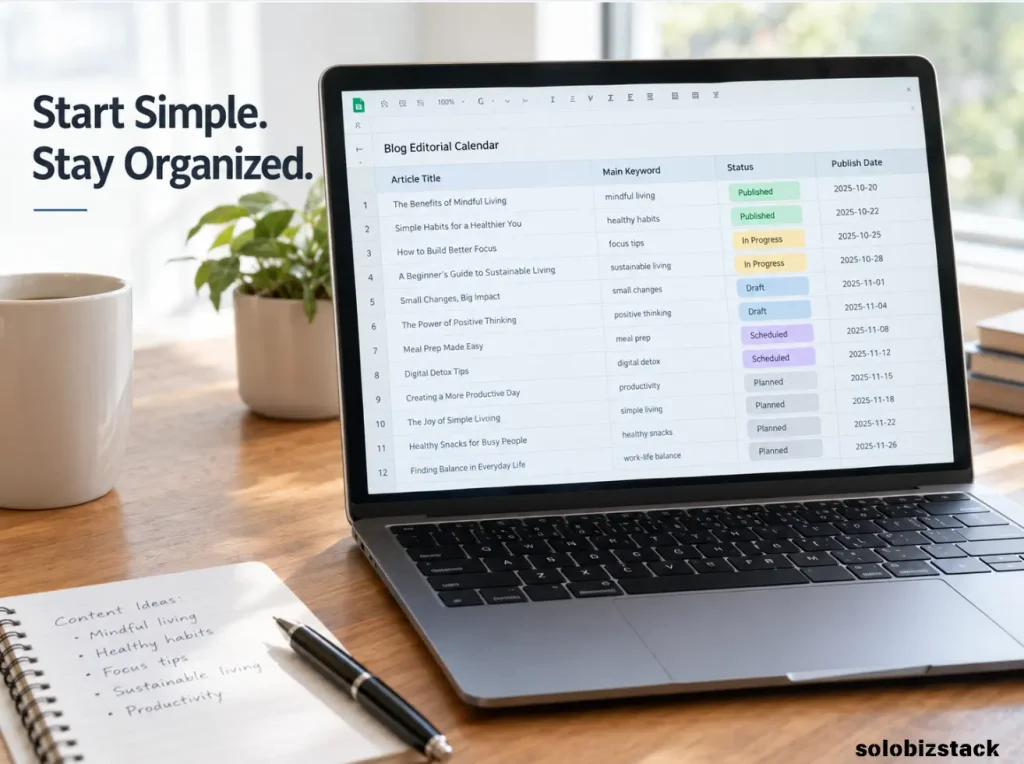
A basic spreadsheet also makes it easy to change your workflow as you learn. You might begin with ten article ideas and a few columns, then add a promotion checklist or performance tracking field later.
What works well
- Easy to understand if you’ve used spreadsheets before.
- Flexible enough for almost any blog niche.
- Useful for tracking keywords, article status, and deadlines.
- Easy to share with editors or freelance writers.
What could be better
A spreadsheet won’t automatically create a polished editorial workflow. You have to set up the columns, filters, colors, and conventions yourself. Once your system becomes complicated, you may spend more time maintaining the spreadsheet than planning your content.
Best for: New bloggers, solo website owners, and anyone who wants a practical editorial calendar without adding another subscription.
Price: A personal Google account can use Google Sheets at no charge; paid Google Workspace plans are available for additional business features.
Start a Google Sheets content calendar →
Google’s Sheets help center explains how to create, format, and share a spreadsheet.
2. Notion — Best for an All-in-One Content Workspace
Notion is a flexible option for bloggers who want to keep more than publication dates in one place.
You can create a content database, save research notes, draft article outlines, store links to related resources, and organize posts by stage. Depending on how you configure the workspace, you can view your content as a table, board, or calendar.
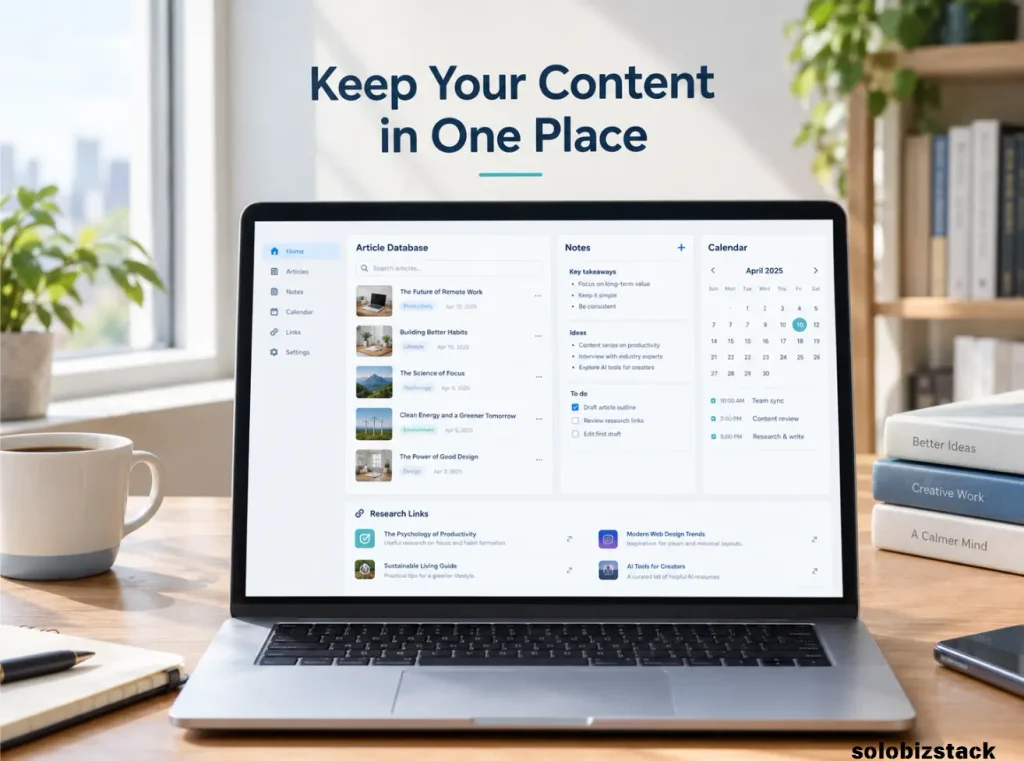
For example, a content database might contain these fields:
- Article title
- Content pillar
- Primary keyword
- Search intent
- Draft deadline
- Publish date
- Status
- Related internal links
- Featured image status
You can then open an individual article record and store the outline, research notes, and checklist alongside its planning details. That reduces the need to search across several documents when you’re preparing a new post.
Notion is particularly useful if you like designing a system that fits your workflow rather than adopting a fixed template. It also offers templates that can help you get started.
What works well
- Combines planning databases with notes and documents.
- Supports different views of the same content.
- Useful for storing briefs and organizing related projects.
- Flexible enough to grow with a content library.
What could be better
Flexibility can become its own problem. It’s easy to spend hours adjusting dashboards, adding properties, and rebuilding your workspace. Start with one content database and a few essential fields before adding more.
Notion also has plan limits. Its published pricing page lists a free plan and paid options, with advanced features depending on the plan.
Best for: Bloggers who want a central home for ideas, outlines, research, and editorial planning.
Price: Free plan available. The official pricing page lists paid plans; review the current billing and feature details before upgrading.
Explore Notion · View Notion pricing
Find Blog Topics Worth Writing About →
3. Trello — Best for Visual Content Workflows
If you prefer to see your work as cards moving from one stage to another, Trello is worth considering.
Trello uses boards, lists, and cards to organize tasks. You could create a board called “Blog Content Pipeline” with lists such as:
- Ideas
- Research
- Outline Ready
- Writing
- Editing
- Scheduled
- Published
Each article gets its own card. You can add a due date, checklist, notes, and links to the draft or image files. When you finish one stage, move the card to the next list.
This approach works well for bloggers who want to answer one simple question at a glance: What should I work on next?
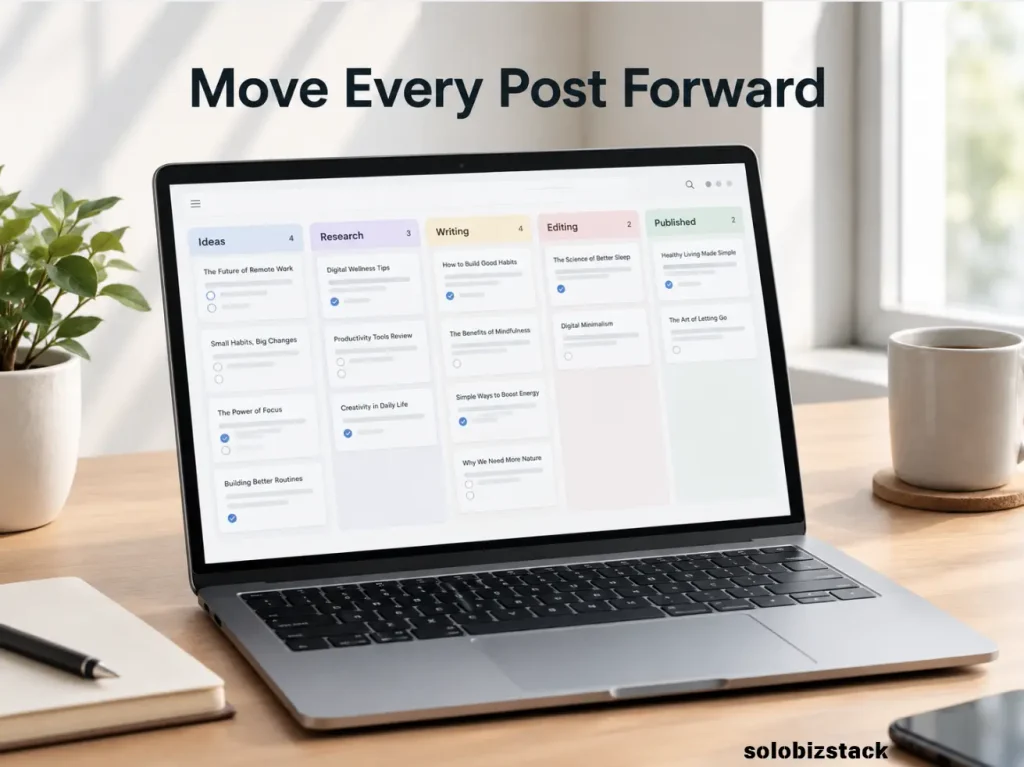
It can also help when several people contribute to a blog. A writer, editor, and designer can see which articles need attention without constantly asking for status updates.
What works well
- Clear visual view of the writing process.
- Easy to move articles between stages.
- Useful for assigning tasks and due dates.
- Simple to start with a small number of boards.
What could be better
Trello is primarily a task and workflow tool rather than a full editorial database. You may need extra organization if you want to track many SEO fields, content clusters, performance metrics, and long-term editorial information.
The free plan includes core board and card features, while some advanced planning and automation features require a paid plan. Check the official Trello pricing page for current limits.
Best for: Bloggers who like a visual workflow and want a clear path from idea to publication.
Price: Free plan available. Trello Standard is currently listed at $5 per user per month with annual billing, or $6 when billed monthly; regional pricing and offers may vary.
Try Trello · Compare Trello plans
4. Airtable — Best for a Structured Content Database
Airtable is useful when your blog has enough content that a basic spreadsheet starts to feel limiting.
It combines a table-based structure with different ways to view the same information. Depending on your setup and plan, you can organize records using grid, calendar, gallery, kanban, and other views.
Imagine you have hundreds of planned and published articles. Each record could include a topic, category, keyword, search intent, author, status, publication date, featured image, and links to supporting articles.
You could use a calendar view to see upcoming publication dates and a grouped view to review all articles within one content pillar. A separate view could show only posts that need editing or image work.
That level of structure is useful when you need to track more than titles and deadlines.
What works well
- Custom fields for detailed article records.
- Multiple views of the same content information.
- Helpful for managing large content libraries.
- Templates can give you a starting structure.
What could be better
Airtable can take longer to configure than a basic spreadsheet. Some advanced features and calendar functions are limited by plan, and paid plans may be unnecessary for a small blog with a straightforward publishing schedule.
The free plan has record and other feature limits. Airtable’s official plan overview and calendar view guide explain the current restrictions.
Best for: Bloggers with a growing article library, multiple content categories, or more detailed editorial requirements.
Price: Free plan available, with paid plans for higher limits and additional features. Review the current Airtable pricing information before upgrading.
Explore Airtable · Browse Airtable templates
5. ClickUp — Best for Managing Content and Tasks Together
ClickUp is worth considering if writing is only one part of a larger workflow.
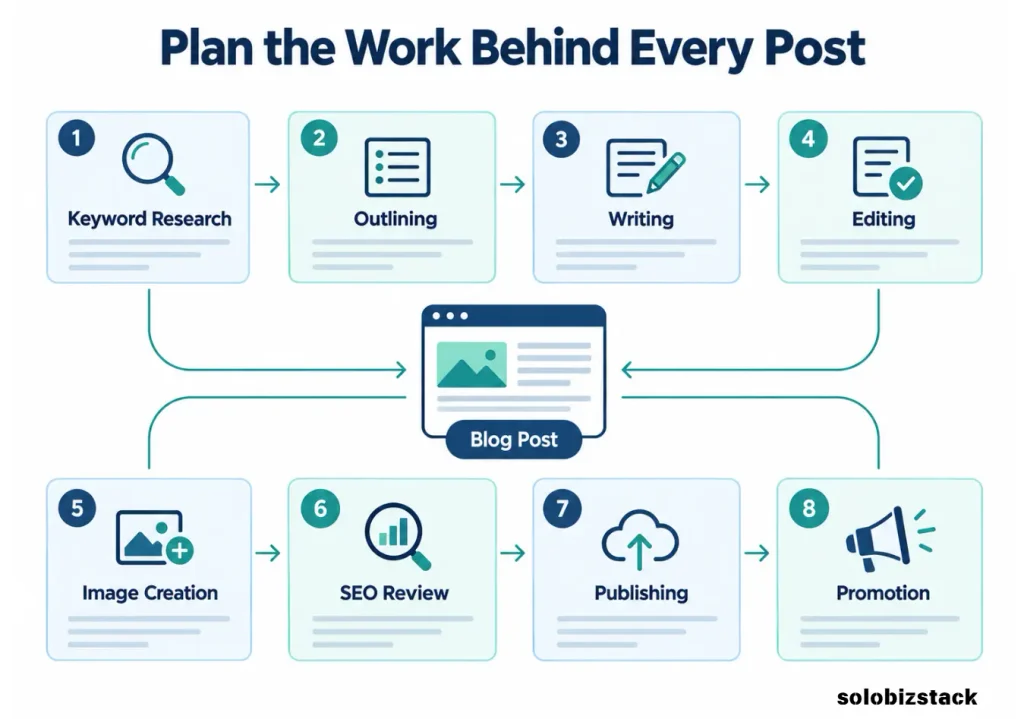
A typical blog project can include keyword research, drafting, editing, image creation, internal linking, publishing, and promotion. ClickUp lets you organize work as tasks and subtasks, set deadlines, and use different views to manage the process.
For example, one parent task could represent an article. Its subtasks could cover research, outlining, editing, creating the featured image, checking Rank Math, and publishing. That gives you a clearer picture of the work involved than a calendar entry alone.
ClickUp also offers collaborative documents and a calendar view on its Free Forever plan, according to its published pricing page. Paid plans add further capabilities, so it’s worth checking which ones matter for your workflow.
What works well
- Connects article planning with practical tasks.
- Supports deadlines, subtasks, and multiple views.
- Useful when writing and promotion involve several steps.
- Can support collaboration as a blog grows.
What could be better
ClickUp offers many features, and the interface may feel busy if all you need is a list of article ideas and dates. Set up only the views and fields you need instead of trying to use every feature.
Best for: Bloggers with detailed production workflows, multiple contributors, or content projects that involve more than writing.
Price: Free Forever plan available. The Unlimited plan is listed from $7 per user per month with annual billing; monthly billing and other plans have different prices.
Explore ClickUp · View ClickUp pricing
6. CoSchedule — Best for Coordinating Content and Social Publishing
Planning a blog post is only part of the job. You may also need to create social posts, schedule them, and coordinate promotion around publication day.
CoSchedule is worth looking at if you want to connect content planning with social distribution. Its products and plans include different calendar and social publishing features, depending on the plan you choose.
This can be helpful if your process often looks like this: prepare an article, publish it, create promotional messages, schedule those messages, and reuse parts of the article across relevant channels.
For a blogger who plans to use Pinterest alongside other social platforms, a shared calendar can help keep promotion organized. However, you’ll still need to create useful platform-specific content rather than posting the same material everywhere without adapting it.
What works well
- Helps coordinate content and social publishing.
- Useful for planning promotional messages around an article.
- Offers a calendar-based view of scheduled activity.
- May suit bloggers who manage several publishing channels.
What could be better
CoSchedule may be more than you need if your main task is organizing blog drafts. Its free offering is limited: the vendor says it supports one social profile and up to 15 scheduled social messages at a time. Broader functionality requires a paid plan.
Its published pricing lists a Starter plan at $29 per month when billed annually or $39 per month when billed monthly. Check the current pricing page to confirm the plan and features you need.
Best for: Bloggers who already have a repeatable publishing process and want to coordinate social promotion in the same system.
Explore CoSchedule · Compare CoSchedule plans
Which Content Planning Tool Should You Choose?
The right choice depends on where your workflow is becoming difficult.
If You’re Starting a Blog From Scratch
Start with Google Sheets or Notion.
Google Sheets is easy to set up and doesn’t require much planning. Notion is better if you want your calendar, notes, outlines, and research to live together.
You don’t need to pay for a large platform just to keep track of your first 20 article ideas.
If You Prefer a Visual Editorial Calendar
Consider Trello.
Its cards and lists make it easy to see whether an article is still an idea, ready for research, being written, or published. It’s a practical choice if seeing your work move through stages helps you stay organized.
If You Have a Large Content Library
Consider Airtable.
Its record-based structure and multiple views can help you manage many articles, categories, and dates. The trade-off is that you’ll need to spend some time designing the database.
If Every Article Has Many Tasks
Consider ClickUp.
It’s useful when article production involves research, writing, images, editing, SEO checks, and promotion. If that feels like too much for your current needs, use a simpler tool until your workflow becomes more demanding.
If Social Promotion Is Part of Your Workflow
Look at CoSchedule.
It may be helpful when coordinating social messages and content publication is a major part of your work. If you only need a list of future blog posts, a spreadsheet or lightweight database is likely enough.
How to Build a Simple Content Calendar
You don’t need to choose the perfect system on day one. Start with a basic calendar and add complexity only when a real problem appears.
Whichever tool you choose, include these fields:
| Field | Why It Matters |
|---|---|
| Article title or topic | Identifies what you plan to publish |
| Content pillar | Keeps the article connected to your site’s focus |
| Primary keyword | Records the main search topic |
| Search intent | Clarifies what the reader wants to accomplish |
| Status | Shows whether the article is an idea, draft, or published page |
| Draft deadline | Helps you plan the work before publication |
| Publish date | Gives you a realistic schedule |
| Internal links | Reminds you to connect relevant pages |
| Images | Tracks whether the featured image and supporting visuals are ready |
| Promotion | Records where you’ll share the article |
| Performance notes | Lets you add observations after the post collects data |
Start with the first six or seven fields if a full system feels overwhelming. You can add image production, promotion, and performance tracking once the basic calendar works.
For example, your first few entries might be:
| Article | Main Task | Status |
|---|---|---|
| How to Find Blog Topics People Are Searching For | Finish draft and SEO review | In progress |
| How to Do Keyword Research as a Beginner | Prepare outline and research | Planned |
| Best Content Planning Tools for Bloggers | Review tools and comparisons | Editing |
| How to Create Blog Content Faster as a Solopreneur | Add internal links | Update needed |
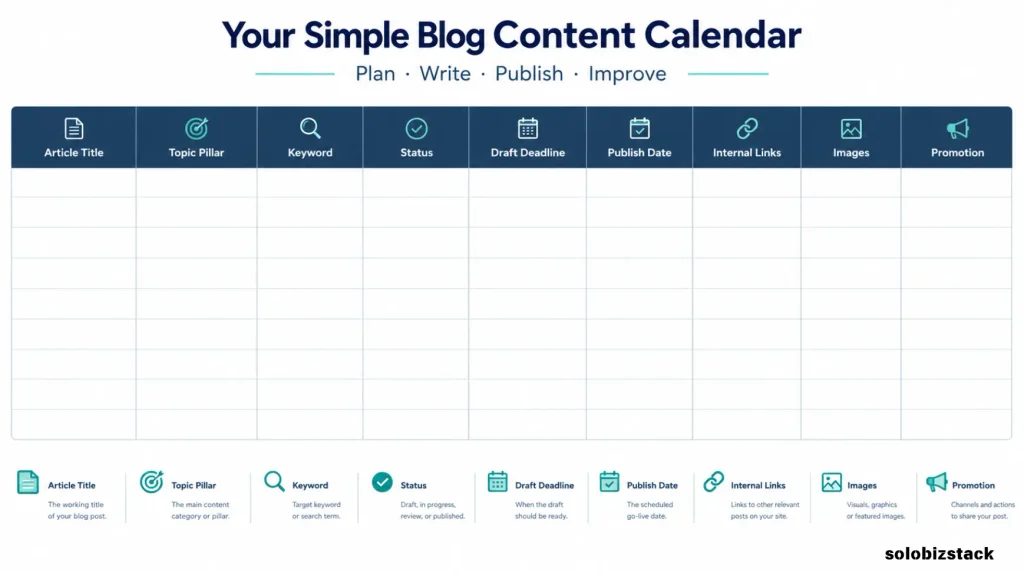
The important thing is to make the next action obvious. A calendar that looks beautiful but doesn’t help you decide what to do next isn’t doing its job.
Learn How to Create Blog Content Faster →
How to Choose a Content Planning Tool Without Overthinking It
Before you sign up for another tool, ask yourself four questions.
1. What is my biggest planning problem?
If you keep forgetting ideas, you need a quick capture system. If you miss deadlines, you need a clearer workflow. If you can’t tell which articles belong together, you may need better content categories and relationships.
2. How much detail do I really need?
A solo blogger may only need a title, keyword, status, and due date. A larger content operation may need assignments, reviews, design files, approvals, and reporting.
3. Do I need one system or several?
Some people prefer to keep research notes in one tool and manage tasks in another. That’s fine, as long as the workflow is clear and you can find the right information when you need it.
4. Will the free plan do the job?
Start free when possible. Pay for an upgrade when a real limitation is slowing down your work—not simply because a pricing page highlights more features.
Common Content Planning Mistakes to Avoid
Building an Overly Complicated System
Too many properties, statuses, and dashboards can turn planning into another project. Begin with the smallest system that solves your problem.
Planning Topics Without a Clear Audience
A calendar full of random ideas won’t necessarily help your website become more useful. Keep topics connected to the audience and purpose of your blog.
Treating the Calendar as the Content Strategy
A calendar tells you what you plan to publish and when. It doesn’t automatically tell you whether the content is worth creating. Topic research, search intent, and clear content goals still matter.
Ignoring the Work After Publication
Publishing isn’t the end of the process. Remember to add relevant internal links, promote the article, and review useful performance data as it becomes available.
Paying for a Tool Before You Need It
Premium features may help later, but they can also create unnecessary cost and complexity. Use the free version long enough to understand what your actual workflow requires.
Frequently Asked Questions
What is the best content planning tool for bloggers?
Google Sheets is a practical free starting point for simple editorial calendars. Notion is useful if you want notes, article briefs, and planning in one workspace. Trello is better for visual workflows, while Airtable and ClickUp offer more structure for detailed processes. CoSchedule is worth considering when social publishing is part of the workflow.
Are free content planning tools enough for a new blog?
Yes. Free tools can be enough to organize ideas, plan publication dates, and track article status. Start with a system you can maintain and upgrade only when a specific limitation becomes a problem.
Is Notion better than Trello for content planning?
It depends on how you work. Notion is more suited to combining databases, documents, notes, and calendars. Trello is simpler when you mainly want to move article cards through a writing pipeline. Try each with a small set of article ideas before committing to a workflow.
Do bloggers need a dedicated content calendar tool?
No. A dedicated platform can save time, but it isn’t essential. A spreadsheet can work very well for a solo blogger. The best system is one that keeps your topics, deadlines, and next actions clear without demanding more maintenance than the writing itself.
How far ahead should bloggers plan content?
Planning several weeks ahead can make it easier to research, draft, and prepare images before publication. A four-to-six-week window is a useful starting point for some blogs, but your schedule should match your workload and topic complexity. Leave room for useful updates and timely opportunities.
Can a content planning tool improve SEO?
A planning tool doesn’t directly guarantee higher search rankings. It can help you organize topics, avoid unnecessary duplication, plan internal links, and maintain a consistent publishing process. SEO results still depend on the usefulness and relevance of your content and other factors.
Final Recommendation
For most new bloggers, start with Google Sheets if you want the simplest free system, or Notion if you want to keep article notes and planning together.
Choose Trello if a visual workflow helps you stay on track. Look at Airtable if your content library needs more structure, ClickUp if article production involves many tasks, and CoSchedule if coordinating social distribution is a major part of your process.
Don’t spend a week choosing a content planning tool. Pick one, add your next ten article ideas, set realistic deadlines, and use it for a few weeks. If you can clearly see what to work on next and what needs attention, the system is doing its job.
The best content calendar isn’t the most complicated one. It’s the one that helps you publish useful content consistently.