How to Write Your First Blog Post That Gets Traffic
How to write your first blog post that gets traffic is a question almost every new blogger asks. You’ve set up your website, chosen a topic, and opened a blank page—but you’re not sure what to write, how to structure the article, or how anyone will find it after you publish.
Here’s the good news: you don’t need to be a professional writer to create a useful blog post. You need to understand what your reader is looking for, give them a clear answer, and make the article easy to find and read.
There is one important catch, though. No article can guarantee traffic, especially on a new website. Search engines need to discover and evaluate your content, and competing pages may already have a head start. Your first post is an opportunity to build a strong foundation, learn the process, and give the right readers a reason to visit.
In this guide, you’ll learn how to choose a practical topic, research keywords, organize your ideas, write the post, handle basic SEO, and promote it after publishing.
Affiliate Disclosure: This article contains affiliate links. If you purchase through these links, SoloBizStack may earn a commission at no extra cost to you. Our goal is to provide helpful information so you can make an informed decision.
1. Choose a Topic That Solves a Real Problem
One of the easiest ways to make writing harder than it needs to be is to start with a topic that’s too broad.
For example, “Online Business” could lead to hundreds of different articles. A beginner might find it difficult to cover the subject clearly in one post, and readers may not know what specific problem the article will solve.
A more focused topic gives you a clearer starting point. Instead of writing about online business in general, you could cover “How to Choose a WordPress Theme for a Small Business Website” or “How to Find Blog Topics People Are Searching For.”
Both topics address a specific task. That makes it easier to decide what belongs in the article and what should be left for another post.
Start With Your Reader’s Problem
Before choosing a title, answer these three questions:
- Who is the article for?
- What are they trying to do?
- What is making that task difficult?
Imagine you’re writing for someone who wants to start a blog but has very little experience. They may be wondering what to write about, how to find suitable keywords, or how to structure their first article.
Those questions are more useful starting points than simply choosing a topic because it sounds interesting.
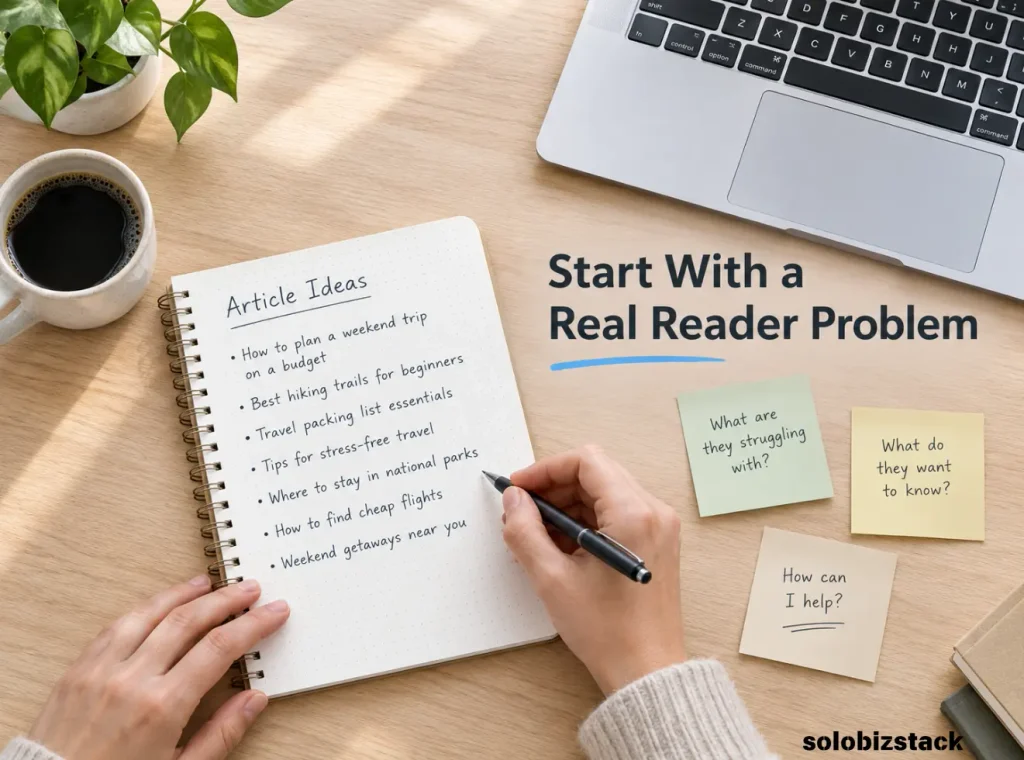
If you haven’t built a topic list yet, read our guide to How to Find Blog Topics People Are Searching For. It can help you find ideas that are relevant to your audience before you begin writing.
2. Check What People Are Searching For
A topic may sound useful to you, but it’s worth checking how people actually look for information about it.
Start by entering a few relevant phrases into Google. Look at the autocomplete suggestions, the types of pages that appear, and the questions people ask around the subject. You can also explore Google Trends to compare interest in related topics over time.
These methods won’t tell you everything about search demand. Autocomplete isn’t a complete keyword list, and Google Trends uses relative interest rather than giving you exact monthly search volume. Still, they can help you spot the language people use and the questions they want answered.
For example, if you’re planning a post about starting a blog, you might explore related ideas such as:
- How to write a blog post for beginners
- How to structure a blog post
- How to choose a blog topic
- How to get traffic to a new blog
- Basic SEO for blog posts
You don’t need to target every phrase in one article. The goal is to understand the subject and identify the main question your post should answer.
For a more detailed process, see our guide to creating a content strategy for a new blog.
3. Understand Search Intent Before You Write
Search intent is the reason behind a search. Someone looking for a tutorial wants different information from someone comparing products or trying to reach a specific website.
Before drafting your article, search your main topic and review the results. Ask yourself:
- Are the top pages step-by-step guides, list articles, product reviews, or comparisons?
- Do the results focus on beginners or experienced readers?
- What questions do those pages answer?
- Is there an important part of the task that seems confusing or underexplained?
This isn’t about copying competing articles. It’s about understanding what a searcher is likely to expect.
Suppose your topic is “how to write your first blog post.” The reader probably needs a practical process: how to choose the topic, plan the article, write the content, optimize the page, and publish it. A lengthy history of blogging would not help them complete that task.
Use the search results as context, then create your own explanation, examples, and structure. Your article should offer a useful answer in its own right—not simply repeat everything other pages already say.
Google’s SEO Starter Guide recommends creating useful, well-organized content and thinking about the words people use to find information. Those are good principles to follow from your first post.
4. Choose One Main Keyword
Once you understand the topic and search intent, choose one main keyword or search phrase for the article.
For this post, the target phrase is “How to Write Your First Blog Post That Gets Traffic.” It describes the article’s purpose and helps keep the content focused.
You can include related phrases where they make sense, such as “writing a blog post for beginners” or “SEO blog writing tips.” But you don’t need to repeat them in every section.
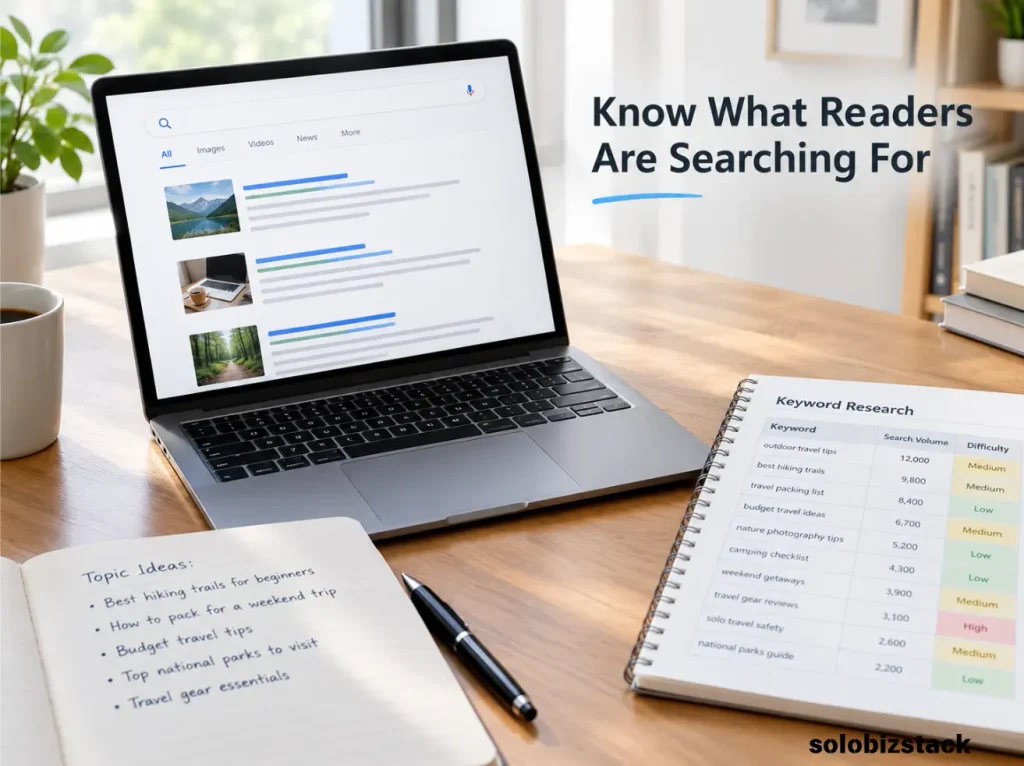
A simple approach is to record:
- Main keyword: the primary search theme for the article.
- Related questions: other questions the article should address.
- Search intent: the type of answer a reader expects.
- Article goal: what the reader should know or be able to do after reading.
Avoid choosing a keyword based only on a large search-volume estimate. A phrase that closely matches your reader’s needs may be a better fit than a broad, highly competitive term.
Also check whether you already have a page covering the same question. If two posts target essentially the same intent, decide whether you need separate articles or whether one well-developed article would be more useful.
5. Create an Outline Before Writing
A simple outline saves time because it gives your article a logical path. You don’t have to decide what to say next every time you finish a paragraph.
For a beginner’s article about writing a first blog post, an outline could look like this:
H1: How to Write Your First Blog Post That Gets Traffic
- H2: Choose a Topic That Solves a Real Problem
- H2: Check What People Are Searching For
- H2: Understand Search Intent
- H2: Choose One Main Keyword
- H2: Create an Outline
- H2: Write a Clear, Helpful First Draft
- H2: Optimize the Post for Search
- H2: Add Images and Internal Links
- H2: Publish, Promote, and Improve the Article
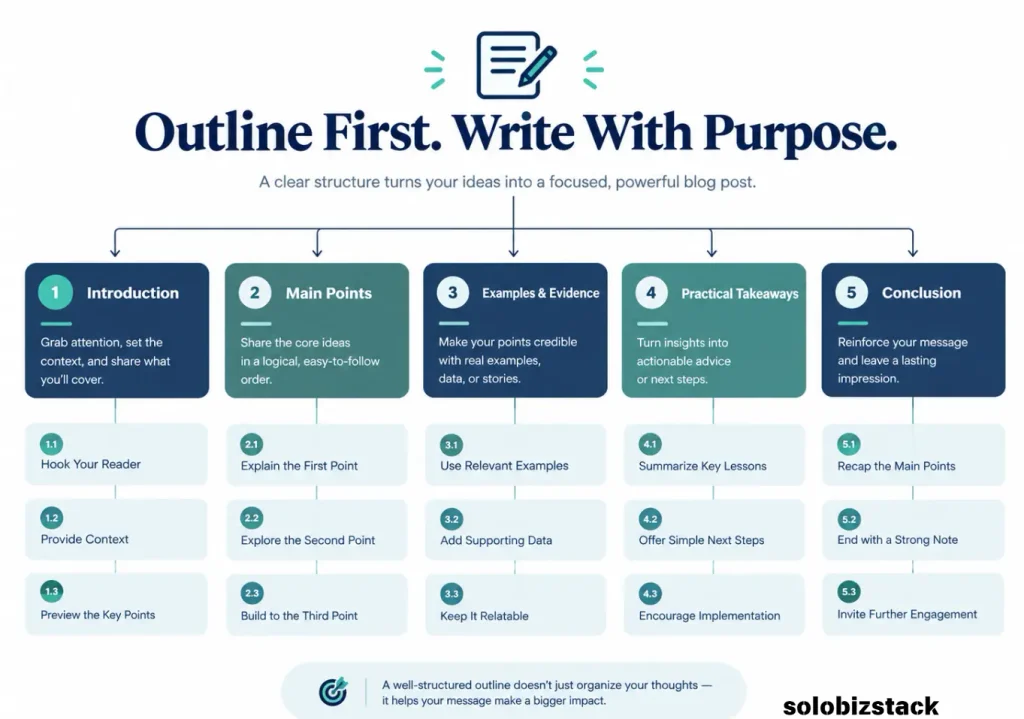
You can add H3 headings under a section when you need to explain a smaller point. Keep the hierarchy clear rather than adding headings simply to make the article look longer.
A useful outline should answer the main question from beginning to end. If a section doesn’t help the reader complete the task, consider removing it or saving it for a separate article.
6. Write an Introduction That Gets to the Point
Your introduction has a simple job: help readers recognize that they’re in the right place.
You don’t need several paragraphs about how difficult blogging can feel. Acknowledge the problem, explain what the article will help them do, and get into the practical steps.
For example:
“Your first blog post doesn’t need to be perfect, but it should solve a clear problem. Start with a focused topic, understand what readers are looking for, and organize your advice into simple steps. This guide shows you how to write a post that’s useful to readers and prepared for search.”
That introduction is direct, sets expectations, and leads naturally into the main content.
As you write, avoid promising results you cannot control. You can explain how good planning and SEO may improve a post’s chances of being discovered, but you can’t promise that it will rank first or receive a specific amount of traffic.
7. Make the Main Content Genuinely Useful
Once your outline is ready, write the article section by section. Focus on answering the reader’s question clearly rather than trying to reach a particular word count.
A useful blog post often includes several of these elements:
Clear explanations. Introduce unfamiliar terms in plain English. If you use a technical term such as search intent, explain what it means and why it matters.
Practical steps. Tell the reader what to do, not just what they should understand. “Review the current search results and note the type of content ranking” is more actionable than “Understand your audience.”
Examples. Show how a general idea works in a realistic situation. A sample headline, short outline, or before-and-after example can make an unfamiliar process easier to understand.
Useful details. Include relevant limitations, mistakes to avoid, or decisions readers may need to make. Don’t add material simply to make the article longer.
A natural conclusion. Summarize the most important lesson and tell readers what to do next.
Don’t Write Just to Reach a Word Count
A short article can be useful when it completely answers a narrow question. A longer guide is appropriate when the subject genuinely requires more explanation.
Instead of asking whether your post is long enough, ask whether a beginner could use it to complete the task. Is there a step missing? Does an important term need an example? Would a reader still be confused after reaching the end?
If the answer is yes, improve that part. If the article already answers the question clearly, don’t add filler just to increase its length.
8. Add Something That Makes Your Article More Helpful
Many topics have already been covered by other websites. That doesn’t mean you should avoid writing about them. It means you should consider how your version can genuinely help your intended reader.
You might make your article more useful by adding:
- A simple checklist that readers can follow as they work.
- A realistic example using a small blog or business website.
- A comparison table that makes a decision easier.
- Screenshots or original visuals that clarify a process.
- A clear explanation of common mistakes and how to avoid them.
- Links to relevant next steps for readers who need more detail.
You do not need to invent a new method for every article. You can explain an established process clearly, add useful context, and organize the information in a way that serves your audience.
Be honest about your experience, too. If you haven’t personally tested a product, don’t write as though you have. You can still explain its documented features, compare available information, and clearly describe how you evaluated the options.
Google’s people-first content guidance encourages creators to provide original value and content that leaves readers feeling their question has been answered. Use that as a quality check before publishing.

9. Optimize Your Blog Post for SEO
Good writing comes first, but basic on-page SEO helps search engines and readers understand the page.
Here are the essentials to check.
Write a Clear SEO Title
Your SEO title should tell the reader exactly what the page offers. Include your main keyword naturally, keep the wording concise, and avoid exaggerated promises.
A suitable title for this article is:
How to Write Your First Blog Post That Gets Traffic
You can use a slightly different title for social media if that better suits the channel, but the title on the page should still accurately describe the content.
Create a Descriptive URL
Use a short, readable slug that describes the subject:
how-to-write-your-first-blog-post-that-gets-traffic
Avoid adding unnecessary dates, random numbers, or unrelated keywords. If you later change the URL of an already published page, plan a proper redirect instead of leaving the old address broken.
Write a Useful Meta Description
A meta description briefly explains what readers will get from the article. It should be accurate and specific rather than a list of keywords.
For this post, you could use:
“Learn how to write your first blog post that gets traffic with practical tips for topic research, search intent, on-page SEO, publishing, and promotion.”
Google may choose a different snippet for a search result, so the description is a helpful suggestion rather than a guarantee of exactly what will appear.
Use Headings to Organize the Content
Use one clear H1 for the main article title. Divide the main steps into H2 headings and use H3 headings when a section needs smaller subsections.
Headings should describe what follows. They make the article easier to scan and help readers find the section they need.
Add Relevant Internal Links
Internal links connect your article with other useful pages on the same website. They help readers continue learning and can help search engines discover related pages.
For example, a post about writing a first blog post can link to a guide about finding blog topics, creating a content strategy, or promoting content through Pinterest.
Use descriptive link text so readers understand where the link leads. Don’t add links to unrelated articles just to increase the number of links on the page.
Add Relevant External Links
Link to reliable sources when a reference helps explain or support an important point. Official documentation is a good option for explaining Google Search features or SEO guidance.
You don’t need to link out in every paragraph. Choose sources that genuinely help the reader verify or explore the information.
10. Use Images That Support the Article
Images can break up a long article and make a process easier to understand. They are most useful when they illustrate an example, show a workflow, or explain something that would be difficult to communicate with words alone.
For a new blog post, you might use:
- A featured image that communicates the topic.
- A simple outline or planning diagram.
- A screenshot of a real process, with private information removed.
- A checklist graphic that readers can save or reference.
Compress images before uploading them and use descriptive file names. Add meaningful ALT text when the image conveys information. For decorative images that don’t add meaning, empty ALT text may be more appropriate than a forced keyword phrase.
Don’t use the same ALT text on every image. Describe what each image actually shows.
11. Make the Article Easy to Read on a Phone
Many people will encounter your blog on a mobile device. Before publishing, preview the page on a small screen and check whether it feels comfortable to read.
Look for paragraphs that run too long, headings that don’t explain the section, tables that are difficult to scroll, and buttons that are too close together. Make sure images fit the screen and that the main content isn’t hidden behind distracting elements.
A few practical improvements can make a big difference:
- Break up long paragraphs where a new idea begins.
- Use descriptive subheadings to guide the reader.
- Keep lists focused and easy to scan.
- Avoid unnecessary pop-ups that interrupt reading.
- Check links and buttons with a phone-sized preview.
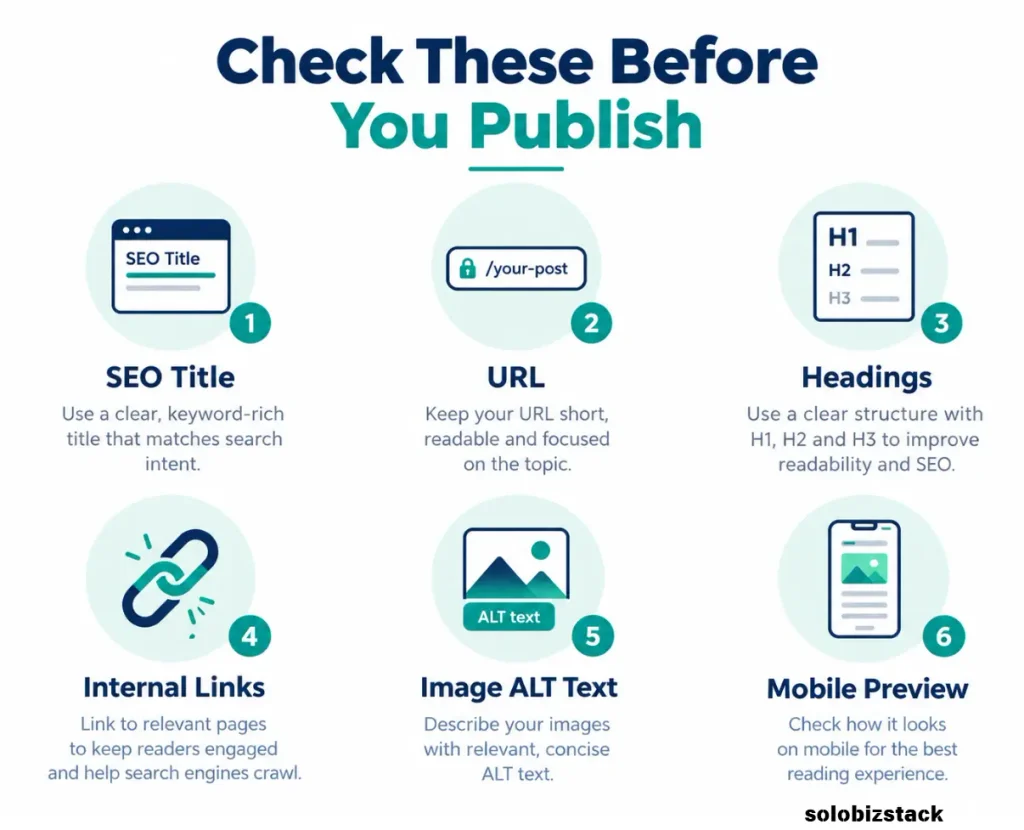
The aim isn’t to make every paragraph extremely short. It’s to make the information easy to follow without forcing readers to work hard to understand it.
12. Add Internal Links That Lead to the Next Useful Step
Before publishing, ask what a reader might need after finishing your article.
Someone who has just learned to write a first blog post may want to find more topics, develop a content calendar, improve their SEO, or create blog images. These are natural opportunities to link to relevant resources on your website.
For example:
- Read How to Find Blog Topics People Are Searching For to plan your next article.
- Read How to Create a Content Strategy for a New Blog to organize future posts.
- Read Pinterest SEO for Beginners to learn another way to help people discover your content.
- Read How to Create Blog Content Faster as a Solopreneur to build a more manageable writing workflow.
Only use links that are relevant and work correctly. If one of these pages has a different published URL on your website, update the link before publishing.
13. Publish the Post—Then Help People Discover It
When the draft is ready, complete a final review. Check spelling, facts, the SEO title, meta description, slug, images, links, and mobile layout. Make sure the post answers the question promised by its headline.
Then publish it.
Don’t assume that clicking Publish will immediately bring visitors. Search engines need to discover and process pages, and ranking depends on many factors beyond a single article. Promotion and monitoring are part of the work, too.
After publication, consider these actions:
Link to the new post from relevant older articles. If an existing article mentions the same subject, add a useful contextual link where it makes sense.
Share the article through a relevant channel. For a visual topic, you might create a Pinterest Pin that accurately represents the article and links directly to it. For other topics, an email newsletter or relevant online community may be more suitable.
Make sure search engines can discover the page. Check that the URL is accessible, the page isn’t accidentally set to noindex, and your site’s internal links and sitemap are working as expected. If needed, use Google Search Console to inspect the URL and request indexing. A request does not guarantee that Google will index or rank the page.
Google’s SEO Starter Guide explains the basics of helping search engines understand and discover content.
14. Use Search Console to Improve the Post Over Time
Your first blog post is not finished forever once it goes live. As it collects data, you may discover questions you didn’t anticipate or sections that need clarification.
Google Search Console can help you understand how the page performs in Google Search. Its Performance report includes data such as clicks, impressions, click-through rate, average position, queries, and pages. You can learn more in Google’s Search Console Performance report guide.
For a new website, the data may be limited at first. That’s normal. Review the page periodically rather than drawing conclusions from a small number of impressions.
Look for patterns:
- Impressions but few clicks: Review whether your title and snippet clearly communicate the value of the page. Check the actual search queries before changing anything.
- Queries you didn’t anticipate: Consider whether a section should be expanded or whether a separate article would answer the question better.
- Visitors reaching the page through related topics: Strengthen internal links between the relevant articles.
- Outdated or incomplete advice: Update the page when you can make it more useful or accurate.
Don’t rewrite the entire article every time a metric changes. Make targeted improvements based on evidence and give those changes time to produce useful data.
A Simple First Blog Post Checklist
Before you publish, go through this checklist:
- The article answers one clear question.
- The topic fits the audience and purpose of the blog.
- I’ve checked search intent and the types of results people expect.
- The main keyword is relevant and used naturally.
- The introduction explains what the reader will learn.
- The headings follow a logical order.
- The article includes useful examples or practical steps.
- The SEO title, meta description, and URL are descriptive.
- Relevant internal and external links work.
- Images are optimized and have appropriate ALT text.
- The page is easy to read on a mobile screen.
- I’ve planned at least one relevant way to promote it.
- I know how I’ll review its performance later.
You don’t need to make every item perfect before publishing. The goal is to catch meaningful problems and give the article a solid foundation.
Common Mistakes to Avoid With Your First Blog Post
Trying to Cover Too Many Topics at Once
A post that tries to answer every question about a subject can become difficult to follow. Choose one main purpose and link to separate articles for related topics that deserve more depth.
Writing for a Keyword Instead of a Reader
Keywords help you understand how people search, but they shouldn’t make your writing unnatural. Answer the reader’s question first, then use relevant terminology where it fits.
Copying the Structure of a Competitor Without Adding Value
Search results can help you understand reader expectations. They shouldn’t become a template for rewriting another article sentence by sentence. Use your own examples, explanations, and editorial judgment.
Publishing and Never Checking the Results
Some pages need time to be discovered. When data becomes available, use it to identify sensible improvements rather than assuming the first version is the final version.
Expecting Immediate Traffic
A new site usually has less content, fewer established links, and less historical search data than an older site. Your first article may take time to gain visibility—or it may not attract much traffic at all. Learn from the results and keep improving the content that serves your audience.
Frequently Asked Questions
How long should my first blog post be?
There is no ideal word count for every topic. Write enough to answer the reader’s question thoroughly, but don’t add filler to make the article longer. A narrow question may need only a short guide, while a complex tutorial may need more detail and examples.
Can my first blog post get traffic from Google?
Yes, a first post can receive organic traffic, but there is no guarantee. Its chances depend on factors such as the usefulness and relevance of the content, competition, whether the page is discovered and indexed, and how well it matches what searchers need.
Should I do keyword research before writing?
Keyword research is helpful when you want people to find your article through search. It can reveal the language people use and the kinds of questions they ask. Combine it with audience knowledge and search intent rather than relying on keyword metrics alone.
How do I promote a blog post after publishing?
Start by linking to it from relevant pages on your website. Then share it through channels that fit your audience, such as Pinterest, email, or relevant communities where sharing is permitted. Choose methods you can maintain instead of trying to promote every post everywhere.
Do I need an SEO plugin to write a blog post?
No. You can publish a useful article without an SEO plugin. A tool such as Rank Math can help manage titles, meta descriptions, and other on-page checks, but it cannot replace clear writing, accurate information, and a good understanding of your audience.
What should I write after my first blog post?
Choose a related question that your target reader is likely to have next. For example, after writing a beginner’s guide to blog writing, you might cover finding topics, conducting keyword research, organizing a content calendar, or promoting articles. Related posts can form a useful group of resources over time.
Final Thoughts
Writing your first blog post can feel like a big step, especially when your website is new and you don’t yet have an audience. But you don’t need a complicated system to get started.
Choose a focused topic, learn what readers are looking for, write a clear and helpful answer, and take care of the basic SEO details. Then publish the article, make it easy to discover, and use the data you collect to improve it over time.
Your first post doesn’t have to be your most successful article. It needs to be a useful starting point—one that teaches you the process and gives your blog something worthwhile to build on.