
Rank Math vs Yoast: Which SEO Plugin Is Better? (2026)
Choosing a WordPress SEO plugin sounds simple until you open the WordPress plugin directory and see how many options are available.
Two names come up again and again: Rank Math and Yoast SEO.
Both can handle the basic SEO jobs you expect from a WordPress plugin, including titles, meta descriptions, XML sitemaps, structured data, and content analysis. But once you look at the free features, advanced tools, workflow, and pricing, the two plugins take noticeably different approaches.
So, in this Rank Math vs Yoast comparison, I’m not going to tell you that one plugin is magically better for every website.
Instead, we’ll look at where each plugin fits best, what you get without paying, what changes when you upgrade, and which approach makes more sense for a small WordPress site.
Affiliate Disclosure: This article may contain affiliate links. If you purchase through a qualifying link, SoloBizStack may earn a commission at no additional cost to you.
Rank Math vs Yoast: Quick Comparison
Before getting into the details, here is the basic picture.
| Feature | Rank Math | Yoast SEO |
|---|---|---|
| Free version | Yes | Yes |
| SEO title & meta description | Yes | Yes |
| XML sitemap | Yes | Yes |
| Content analysis | Yes | Yes |
| Readability analysis | Yes | Yes |
| Schema | Broad built-in support | Strong built-in structured data |
| Redirect manager | Available in free version | Premium |
| 404 monitor | Available in free version | Not part of the standard free plugin |
| Internal link suggestions | Available | Premium |
| Search Console integration | Built in | Via integrations such as Site Kit |
| Multiple focus keywords | Up to 5 listed by Rank Math | 1 focus keyphrase in free |
| Premium AI/content tools | Available through Rank Math products | Available in Premium and higher plans |
| Premium license model | Personal plans can cover multiple personal sites | Premium license is sold per site |
| Best fit | Users who want more built-in controls | Users who prefer a guided workflow |
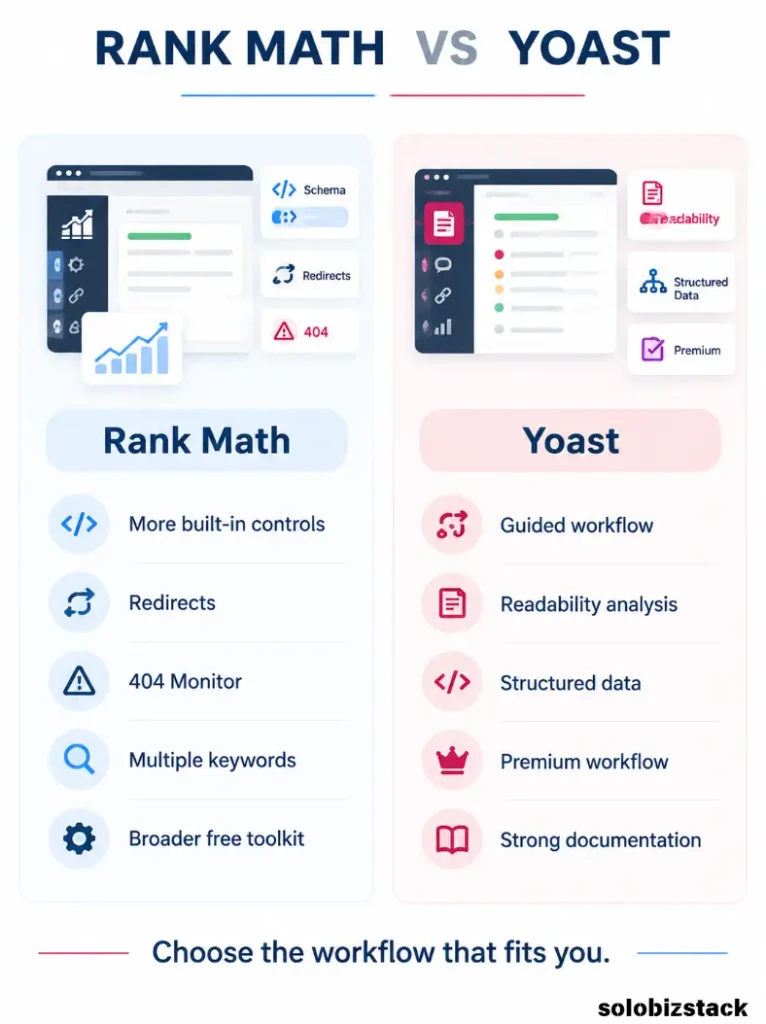
Rank Math’s current WordPress.org listing includes features such as a redirection manager, 404 monitor, internal link suggestions, Google Search Console integration, and support for multiple focus keywords in the free plugin. Yoast’s free plugin includes core SEO analysis and structured data, while features such as the redirect manager and internal linking suggestions are part of Yoast SEO Premium.
That difference explains much of the debate.
What Does an SEO Plugin Actually Do?
Before choosing between Rank Math and Yoast, it helps to understand what an SEO plugin is supposed to do.
An SEO plugin does not make your website rank simply because you installed it.
It gives you tools to control and improve the SEO information WordPress sends to search engines.
That can include:
- SEO titles
- Meta descriptions
- Canonical URLs
- XML sitemaps
- Robots settings
- Structured data
- Social metadata
- Breadcrumbs
- Redirects
- Content analysis
- Internal linking support
Yoast describes its SEO analysis as a system that checks things such as keyphrase placement, title, slug, meta description, headings, internal links, outbound links, and image alt attributes.
Rank Math takes a similarly broad approach, with on-page analysis, Schema controls, redirections, Search Console integration, a 404 monitor, and other modules.
In other words, both plugins can cover the basics.
The interesting part is how much control you want inside one plugin and how you prefer to work.
Rank Math vs Yoast: Free Version
For a small website, this is probably the most important comparison.
You may never need the premium version.
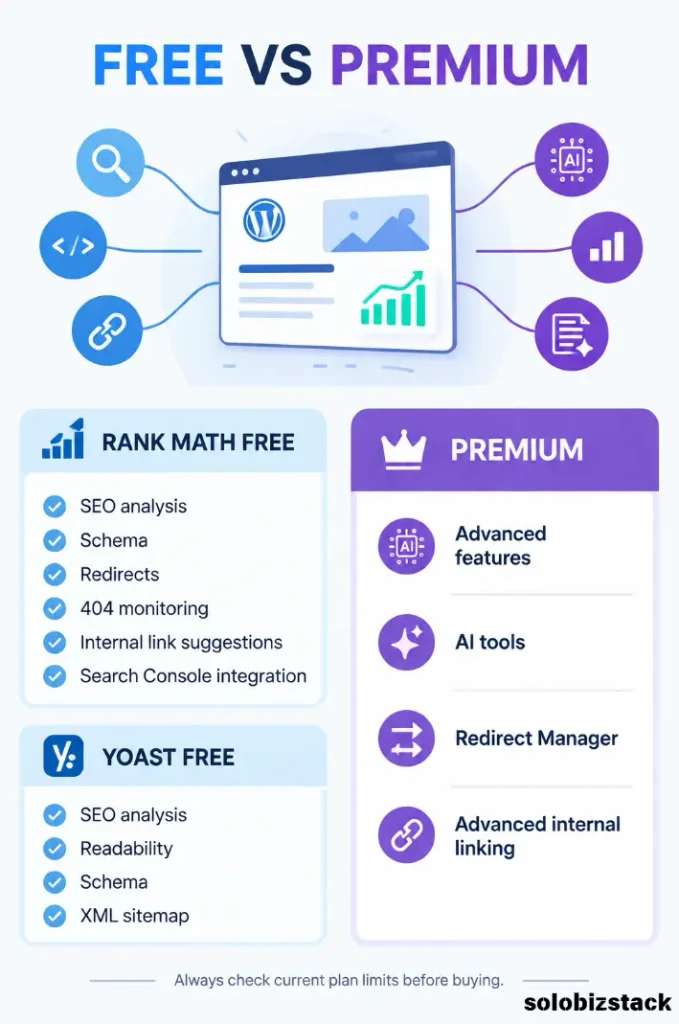
Rank Math’s free plugin currently lists features including Schema support, XML sitemaps, Search Console integration, internal link suggestions, a redirection manager, and a 404 monitor. Its WordPress.org listing also says posts can be optimized for up to five focus keywords by default.
Yoast SEO Free covers the core SEO workflow and includes SEO analysis, readability analysis, XML sitemaps, and a structured data framework. However, Yoast lists features such as its Redirect Manager and internal linking suggestions as Premium features.
That creates a very different free-tier experience.
If you are trying to keep costs near zero, Rank Math gives you more built-in controls before you have to upgrade.
If you prefer a more limited interface with fewer settings to think about, Yoast’s narrower free workflow may feel cleaner.
Neither approach is automatically right.
It depends on how hands-on you want to be.
Rank Math vs Yoast for Ease of Use
This is where feature comparisons can become misleading.
More features do not automatically mean a better user experience.
Rank Math has a lot going on.
You can enable different modules, work with more Schema options, monitor 404 errors, connect search data, configure redirects, and adjust more technical SEO settings.
That is great when you want control.
But it also means there are more things to learn.
Yoast takes a more guided approach.
Its content analysis is deliberately built around clear checks for keyphrase usage, readability, title length, internal links, outbound links, and other on-page elements.
For someone opening WordPress for the first time, that can feel less intimidating.
For someone who wants to manage more SEO functions from one dashboard, Rank Math’s broader feature set can be useful.
A simple way to think about it is:
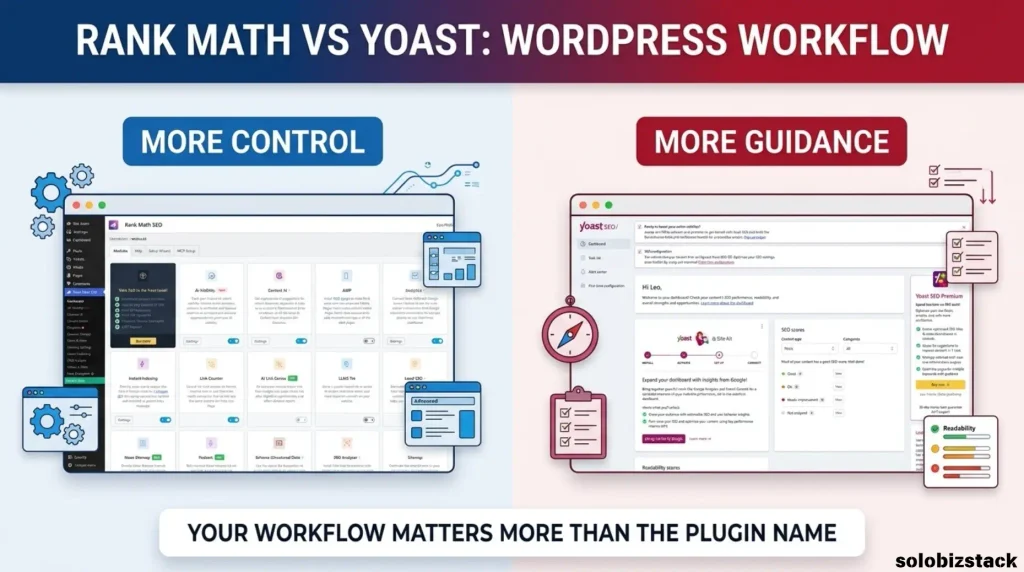
Rank Math gives you more knobs.
Yoast gives you more guardrails.
Neither is inherently better.
They simply make different trade-offs.
Rank Math vs Yoast for Content Optimization
Both plugins can analyze content as you write.
Yoast’s free SEO analysis checks whether the keyphrase appears in important places such as the title, slug, meta description, introduction, subheadings, image alt attributes, and links. Its readability analysis also looks at things such as sentence and paragraph structure.
That makes Yoast particularly useful if you like writing with a checklist beside you.
Rank Math also provides detailed content analysis and SEO recommendations, and its current free listing supports multiple focus keywords.
That can be handy for articles where you are deliberately targeting a main keyword plus a few closely related phrases.
For example, this article could have:
Primary keyword: Rank Math vs Yoast
Secondary concepts:
- Rank Math vs Yoast SEO
- Yoast vs Rank Math
- WordPress SEO plugins
- Rank Math features
- Yoast SEO features
You should not stuff all of them into the article.
The point is simply that multiple keyword targets can help you think about a topic more broadly.
Schema and Structured Data
This is another area where both plugins take SEO seriously.
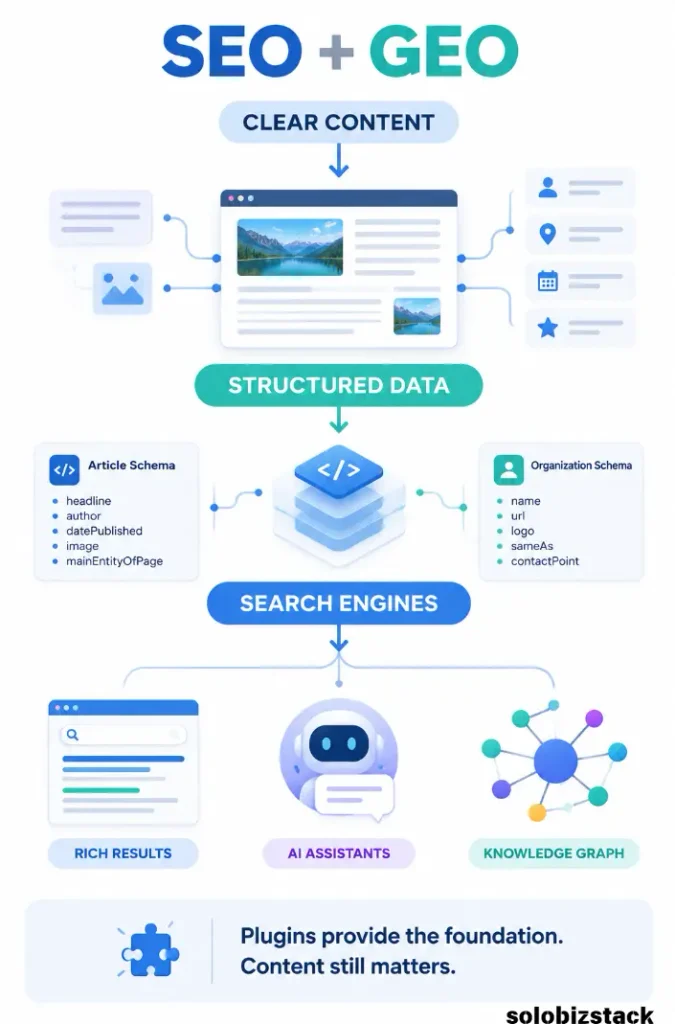
Yoast’s current structured-data system automatically generates a connected Schema graph for your site. Yoast says its free plugin includes foundational schema such as Organization, Person, WebSite, WebPage, Article, BlogPosting, FAQPage, HowTo, Breadcrumb, and other types.
Yoast also introduced Schema Aggregation in 2026, which consolidates the structured data already generated by the plugin into a standardized schema map intended to make site information easier for AI systems to consume. The feature is currently included in Yoast SEO as well as its paid products.
Rank Math also provides a Schema generator and supports many Schema types. Its official documentation describes point-and-click Schema controls, validation against Google’s Rich Results testing, custom Schema, and Schema templates.
For a normal blog post, both plugins can handle the important basics.
You do not need dozens of Schema types just because they exist.
For SoloBizStack articles, the practical goal is much simpler:
Correct content type + accurate structured data + clean site structure.
That is enough for most articles.
Redirects and 404 Errors
This is one of the more noticeable differences.
Rank Math includes a redirection manager and 404 monitoring as part of its plugin offering. Its documentation describes tools for identifying 404 pages, tracking errors, and redirecting URLs.
Yoast’s Redirect Manager is currently a Premium feature.
Yoast Premium can automatically create redirects when you move or delete content, handle different redirect types, support REGEX patterns, and import or export redirect rules.
This difference matters more as a website gets older.
Imagine you publish:
/best-wordpress-hosting/
Six months later, you change the URL to:
/best-website-hosting-for-beginners/
You do not want old links and search results leading visitors to a dead page.
A redirect sends users and search engines to the new location.
For a tiny new website, you may barely notice this feature.
For a growing content site with dozens or hundreds of URLs, it becomes much more useful.
Internal Linking
Internal linking is particularly important for a content-heavy site.
It helps visitors discover related articles and gives search engines more context about how pages on your site are connected.
Rank Math includes internal linking suggestions in its current WordPress.org listing.
Yoast also offers internal linking suggestions, but its current documentation lists those suggestions under Yoast SEO Premium. It also provides additional internal linking blocks such as related links, siblings, subpages, and a table of contents.
For a site like SoloBizStack, this difference is worth paying attention to.
You are building content clusters around:
WordPress
SEO
AI tools
Hosting
Outsourcing
A good internal linking workflow helps connect these articles without forcing you to remember every possible link manually.
AI and GEO Features
SEO is changing, and both plugins are adding AI-related features.
Rank Math’s recent releases include AI visibility tracking and tools for AI-assisted link analysis, while its current product pages position the plugin for both Google and AI search.
Yoast has also moved further into AI.
Its current products include AI-assisted optimization, AI-generated titles and meta descriptions, AI brand visibility insights, and Schema Aggregation designed to make structured site information easier for AI systems to process.
There is an important point here.
Installing an “AI SEO” plugin does not automatically make your content good for AI search.
GEO still depends heavily on the underlying content.
Clear answers.
Useful sections.
Accurate facts.
Good internal linking.
Descriptive headings.
Structured information.
Strong topical coverage.
The plugin can help provide the technical foundation.
It cannot replace the actual work.
Rank Math vs Yoast Pricing
Pricing changes, promotions come and go, and taxes vary by location, so it is better to check the current checkout page before buying.
As of September 2026, Yoast SEO Premium lists $118.80 per year excluding VAT for one site. Yoast’s current product page also states that one Premium subscription covers one site/domain.
Rank Math’s current pricing page is advertising a promotional PRO rate of €7.99 per month billed annually, with a listed renewal rate of €8.99 per month plus taxes. Its PRO plan currently covers unlimited personal websites that you own, excluding client sites.
Because these prices can change, use the official pricing pages as the source of truth before publishing a permanent price comparison table.
The broader difference is easier to understand:
Yoast Premium: one-site license.
Rank Math PRO: unlimited personal sites under the current PRO license terms.
For someone running several personal websites, that licensing structure can become significant.
For someone running one site, the decision is less about license count and more about which workflow you prefer.
Try Rank Math: Rank Math SEO
Explore Yoast SEO: Yoast SEO Premium
Which Plugin Has Better Readability Guidance?
This is one area where Yoast has always been particularly recognizable.
Yoast’s readability analysis checks writing-related factors and is designed to help content become easier to understand. The plugin includes readability analysis in its free version.
That can be genuinely useful for beginners.
When you are new to SEO, it is easy to think everything is about keywords.
A readability system pushes you to think about something more important:
Can a normal person actually read this page comfortably?
Rank Math also gives content analysis and actionable SEO recommendations, but the experience is more focused on giving you SEO controls inside a broader toolkit.
So if writing guidance is a major priority, Yoast has a clear appeal.
Which Plugin Is Better for Beginners?
There are actually two kinds of beginners.
Beginner Type 1: “Just tell me what to fix.”
For this person, Yoast can be comfortable.
You write.
You see the analysis.
You fix obvious issues.
You move on.
The interface is relatively structured around content guidance.
Beginner Type 2: “I want to learn how SEO works.”
For this person, Rank Math can be interesting.
There are more modules and more settings to explore.
You can gradually move from basic title and meta optimization into redirects, Schema, Search Console data, 404 monitoring, and other technical areas.
That can become an advantage as your knowledge grows.
The downside is obvious:
There is more to learn.
Which Is Better for a Small Affiliate Website?
This is where the comparison becomes more practical.
A small affiliate website often needs:
- On-page SEO
- Multiple keyword targeting
- Schema
- Internal linking
- Redirects
- 404 monitoring
- Basic analytics integration
- Content optimization
- Low ongoing cost
Rank Math fits that type of workflow particularly well because many of these capabilities are available in its core plugin, while additional rank tracking and advanced features are available in PRO.
Yoast can also handle the core SEO work very well.
But if you want certain extras such as internal link suggestions and the redirect manager, those currently require Yoast Premium.
That makes the choice partly a budget decision and partly a workflow decision.
What About Performance?
SEO plugins are not magically fast or slow just because of their brand name.
What matters is how you configure them, which modules are enabled, what other plugins are running, and what your theme and hosting are doing.
Rank Math uses a modular system, which lets users enable only the modules they need. Its WordPress.org listing specifically highlights its module-based design.
Yoast also has a large set of technical features, integrations, and configuration options.
For either plugin, the sensible approach is the same:
Do not enable features you do not need.
Keep your WordPress installation clean.
Avoid installing three different plugins that all do the same job.
And test important pages rather than assuming the plugin itself is the cause of every performance problem.
Can You Switch From Yoast to Rank Math?
Yes.
And Rank Math specifically advertises one-click importing from Yoast SEO.
Yoast also provides import and export tools that can import SEO data from several other SEO plugins, including Rank Math.
Still, switching SEO plugins should never be treated as:
Deactivate one → activate the other → done.
A migration can affect:
SEO titles
Meta descriptions
Canonical settings
Redirects
Schema
Robots settings
Sitemaps
Social metadata
Noindex rules
After switching, check your important pages manually.
For a website with a lot of traffic, always create a full backup before making the change.
Should You Switch From Rank Math to Yoast?
Not necessarily.
If Rank Math is already working well for your site, there is no SEO bonus simply because the plugin has a different name.
A plugin switch creates work.
That work may be worth it if you strongly prefer Yoast’s workflow or need features that fit your process better.
But changing plugins simply because somebody says one is “the best SEO plugin” is usually a poor reason.
The better question is:
Is my current plugin helping me maintain the site efficiently?
If the answer is yes, keep creating good content.
Should You Switch From Yoast to Rank Math?
The same logic applies in the other direction.
Rank Math offers a broader collection of features inside its free plugin, including redirects, 404 monitoring, multiple focus keywords, Search Console integration, internal link suggestions, and more Schema support.
That can make switching attractive if you are currently adding separate plugins or paying for Premium features to get similar functionality.
But again, the switch itself does not create rankings.
It simply changes the tools available to you.
If your existing Yoast setup is clean, stable, and easy for you to manage, staying with it can be perfectly reasonable.
Rank Math vs Yoast: What I Would Use for SoloBizStack
For a site like SoloBizStack, I would keep the setup simple.
Because the site is a content-driven WordPress project covering tools, guides, comparisons, blogging, Pinterest, and affiliate marketing, the ability to manage on-page SEO, Schema, redirects, internal links, and Search Console data from one place is useful.
For that workflow, Rank Math is the more practical fit.
Not because Rank Math has a higher SEO score.
Not because it magically ranks content better.
And not because Yoast is bad.
The reason is much simpler:
The feature set lines up well with the type of site you are building.
You can start with the free version, keep your costs down, and add paid features later only when your site genuinely needs them. Rank Math’s current PRO plan also allows unlimited personal websites under its current licensing terms.
That said, a beginner who strongly prefers a more guided content-analysis workflow may find Yoast easier to live with.
Optimize Your WordPress Site: Rank Math SEO
Rank Math vs Yoast: Pros and Cons
Rank Math
Pros
- Large feature set
- Strong free version
- Multiple focus keywords
- Built-in redirects
- 404 monitoring
- Internal linking suggestions
- Search Console integration
- Broad Schema support
- Modular setup
- Personal-site licensing can be attractive for multi-site owners
Cons
- More settings can mean a steeper learning curve
- The interface can feel busy
- Easy to enable features you do not actually need
Yoast SEO
Pros
- Very established WordPress SEO workflow
- Clear content and readability analysis
- Strong structured-data framework
- Large educational ecosystem
- Straightforward writing-focused workflow
- Premium adds advanced internal linking and redirect tools
- Schema Aggregation is now part of the current product lineup
Cons
- Several advanced features require Premium
- Premium is licensed per site
- Can require additional integrations for some workflows
- Less feature-heavy free experience than Rank Math
Yoast’s current free version includes core structured data, SEO analysis, readability analysis, XML sitemaps, and other foundational SEO features, while Premium adds internal linking suggestions, redirect management, AI features, and other advanced tools.
Frequently Asked Questions
Is Rank Math better than Yoast?
It depends on what you need.
Rank Math currently offers a broader set of features in its free plugin, while Yoast focuses heavily on guided content optimization and has a more structured path into Premium features.
For a small affiliate or content site that wants more tools without immediately paying for Premium, Rank Math can be a practical choice.
Is Yoast easier than Rank Math?
Many beginners may find Yoast’s writing-focused analysis easier to understand because it presents SEO and readability recommendations in a relatively direct way. Yoast’s SEO analysis explicitly checks factors such as keyphrase placement, title, slug, links, and meta description.
Rank Math provides more controls, which can be useful but also means there is more to learn.
Can I use Rank Math and Yoast together?
You generally should not run two full SEO plugins on the same site for the same jobs.
They can overlap in titles, metadata, Schema, sitemaps, redirects, and other technical settings.
Choose one primary SEO plugin and configure it properly.
Does switching SEO plugins hurt SEO?
Switching plugins does not automatically mean losing rankings, but a poorly managed migration can create problems.
Incorrect redirects, missing metadata, broken Schema, accidental noindex settings, or other configuration mistakes can affect how search engines interpret your pages.
Always back up the site and check important URLs after migrating.
Both Rank Math and Yoast provide tools to import SEO data from other plugins, which can reduce migration work.
Which SEO plugin is better for affiliate blogs?
For a small affiliate blog, either plugin can work.
If keeping costs down and having more built-in SEO controls are priorities, Rank Math has a strong case.
If you prefer a more guided content workflow and are comfortable paying for Premium features as your site grows, Yoast can also be a solid fit.
The plugin is only part of the equation.
Your content, site structure, internal links, user experience, and topic strategy still matter much more.
Final Thoughts
The Rank Math vs Yoast debate is much less complicated once you stop looking for a universal winner.
Both plugins can handle the SEO fundamentals.
The bigger difference is philosophy.
Rank Math: more built-in controls and a broader feature set.
Yoast: a more guided, content-focused workflow with advanced functionality available through Premium.
For a small WordPress site that wants to keep costs under control while having redirects, 404 monitoring, Schema, internal linking support, and Search Console integration available in one place, Rank Math is a practical choice.
For someone who values a more guided writing experience and prefers Yoast’s ecosystem, Yoast remains a perfectly viable option.
And honestly, once your plugin is properly configured, the next SEO article matters more than the plugin logo sitting in your WordPress sidebar.
Learn More: How to Choose a WordPress Theme