Best SEO Tools for Small Websites: 8 Tools Worth Using in 2026
Running SEO for a small website can feel surprisingly complicated.
There are keyword research tools, rank trackers, site auditors, backlink databases, analytics platforms, technical crawlers, and dozens of browser extensions competing for your attention.
The problem is not finding SEO tools.
The problem is knowing which ones you actually need.
For a small website, you usually do not need an expensive stack with ten different subscriptions. You need a few tools that answer the questions that matter: Can Google find my site? Which pages are getting visibility? What are people searching for? Are there technical problems? And which content should I improve next?
That is what this guide is about. I’ll walk through the best SEO tools for small websites, including free Google tools, WordPress SEO tools, keyword research platforms, and technical SEO crawlers.
The goal is not to use everything on this list.
The goal is to build a simple SEO tool stack that fits the size of your website and your budget.
BUTTON — Start With the Basics: WordPress Website Checklist for Beginners
What Should an SEO Tool Do for a Small Website?
Before choosing an SEO tool, think about the actual jobs you need it to perform.
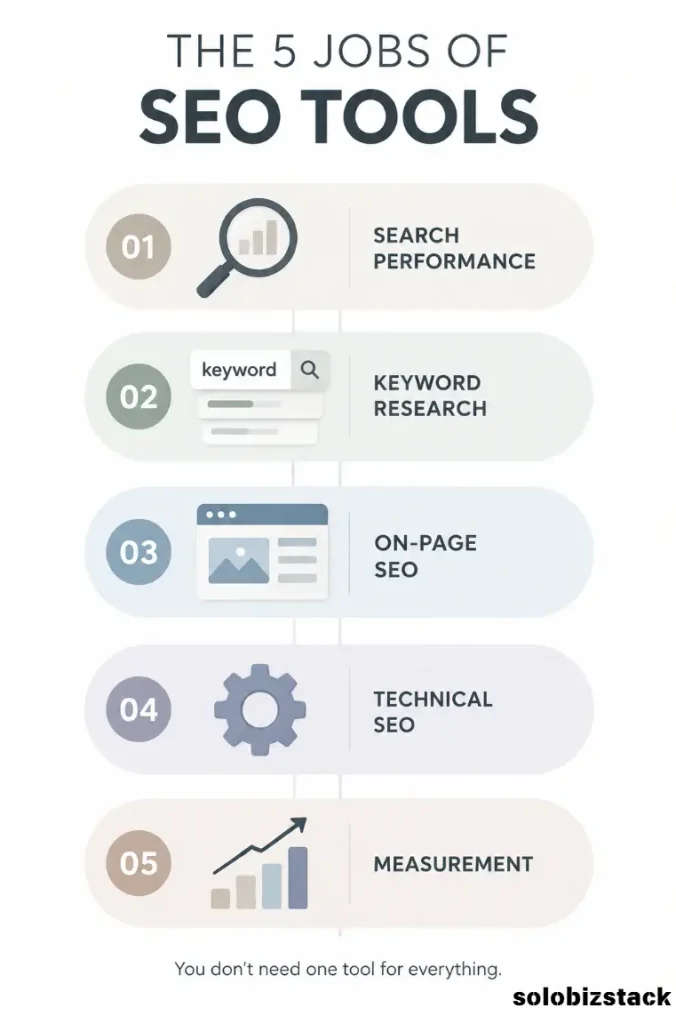
For most small websites, those jobs fall into five categories:
Search performance: Find out which searches and pages are bringing visibility and clicks.
Keyword research: Find topics that are relevant to your audience and worth creating content around.
On-page SEO: Make sure your pages have clear titles, headings, descriptions, internal links, and structured data where appropriate.
Technical SEO: Find problems such as broken links, missing metadata, redirect issues, crawl problems, or slow pages.
Measurement: Understand whether your organic traffic and content are actually improving.
The important thing is that no single tool does all five jobs equally well.
Google Search Console is excellent for Google search data. Google Analytics is useful for understanding what visitors do after they arrive. PageSpeed Insights focuses on page performance. Dedicated platforms such as Ahrefs and Semrush go much deeper into keywords, competitors, backlinks, and SEO research.
That is why a small SEO stack is often more practical than searching for one magical “all-in-one” tool.
Best SEO Tools for Small Websites at a Glance
Here is the simple version before we get into the details.
| Tool | Best Use | Free Option | Good for Small Sites |
|---|---|---|---|
| Google Search Console | Google search performance and indexing | Yes | Essential |
| Google Analytics 4 | Traffic and visitor behavior | Yes | Essential |
| PageSpeed Insights | Page speed and Core Web Vitals | Yes | Essential |
| Bing Webmaster Tools | Bing search + SEO diagnostics | Yes | Useful |
| Rank Math | WordPress on-page SEO | Free + paid | Very useful |
| Ahrefs | Keywords, backlinks, competitors, audits | Limited free access | Useful as site grows |
| Semrush | Keyword research and competitive research | Limited free access | Useful when publishing more |
| Screaming Frog | Technical SEO crawling | Up to 500 URLs free | Great for audits |
There is no ranking here because these tools solve different problems.
A 20-page blog and a 500-page affiliate site do not need the same SEO setup.
1. Google Search Console
Best for: Google search performance, indexing, and SEO data
If you own a website, Google Search Console should probably be one of the first SEO tools you set up.
It is free, and unlike many third-party tools, it gives you information directly related to how Google sees your website.
Search Console can show search queries, impressions, clicks, click-through rate, and search position. It also provides tools for submitting sitemaps, inspecting URLs, checking indexing, monitoring Core Web Vitals, and receiving alerts about certain site issues.
This makes it especially useful for small websites because you do not need to guess whether Google is discovering your pages.
Once your site has some search data, the Performance report becomes particularly useful.
You can look at which queries are generating impressions, which pages are getting clicks, and which pages have relatively low or high click-through rates.
That creates a simple optimization opportunity.
Suppose one of your articles is already getting impressions for several related searches but receives very few clicks.
You might not need a completely new article.
You may simply need a clearer title, a more useful meta description, or a better match between the search query and the page.
Check Your Search Data: Google Search Console
One of the biggest mistakes beginners make is treating Search Console as a tool they only need when something breaks.
It is much more useful as a regular feedback system.
For a small blog, checking it every few weeks is usually enough to find content opportunities without spending hours staring at dashboards.
Google also recommends using Search Console to understand how your site is crawled, indexed, and displayed in search.
2. Google Analytics 4
Best for: Understanding what happens after visitors reach your site
Google Search Console tells you what happens in Google Search.
Google Analytics tells you more about what happens after someone reaches your website.
That difference is important.
You might have a page that gets plenty of search clicks but very little engagement.
Another article may bring fewer visitors but generate more engaged sessions, affiliate clicks, email signups, or other useful actions.
GA4 includes acquisition reports that help connect user behavior with traffic sources. The User acquisition report focuses on how new users first arrive, while Traffic acquisition looks at where sessions come from.
For a small affiliate website, this can help answer questions such as:
Which pages attract organic visitors?
Which traffic sources bring engaged users?
Which landing pages lead to useful actions?
Which content deserves another round of optimization?
Measure Website Traffic: Google Analytics
You do not need to become a GA4 expert on day one.
Start with a small set of reports and learn how your visitors behave.
The goal is not collecting every metric.
The goal is making better decisions.
3. Google PageSpeed Insights
Best for: Page performance and Core Web Vitals
SEO is not just about keywords.
If your website is slow or difficult to use, that can create a poor experience even when your content is good.
Google PageSpeed Insights analyzes page performance on mobile and desktop. It combines real-world data from the Chrome User Experience Report with lab data from Lighthouse and provides diagnostics and optimization suggestions.
For a small WordPress website, PageSpeed Insights is useful because you can test individual pages rather than needing a large enterprise monitoring system.
For example, you might test:
Your homepage
A long blog article
A category page
A page with lots of images
A page containing affiliate tools or embedded content
The important thing is not to chase a perfect score simply because the number looks nice.
Instead, use the report to understand what is actually slowing the page down.
Large images, unnecessary scripts, third-party embeds, and poorly optimized assets can all affect the experience.
Test Your Website Speed: Google PageSpeed Insights
This tool becomes especially useful for SoloBizStack because content includes tools, images, affiliate buttons, screenshots, and other elements that can gradually make pages heavier.
4. Bing Webmaster Tools
Best for: Bing search data and another free source of SEO insights
Google gets most of the attention, but small websites do not lose anything by checking Bing as well.
Bing Webmaster Tools provides search performance data plus SEO and diagnostic features, including backlink information, keyword research, SEO/GEO reporting, and Site Scan.
Its Keyword Research tool can provide keyword ideas, search frequency information, trends, and related questions.
The Site Scan feature can crawl a site and identify common technical SEO issues.
That makes Bing Webmaster Tools surprisingly useful for a small website.
You are getting another source of keyword and technical data without adding another paid subscription.
Explore Bing SEO Tools: Bing Webmaster Tools
It is also useful as a backup perspective.
When Google Search Console and Bing Webmaster Tools highlight different issues or search patterns, you can investigate rather than relying on a single data source.
5. Rank Math
Best for: On-page SEO inside WordPress
Since SoloBizStack runs on WordPress, Rank Math belongs in the basic workflow.
Instead of switching between your WordPress editor and a separate SEO platform for every article, Rank Math puts many SEO controls directly into WordPress.
Rank Math supports SEO Title and Meta settings, Schema controls, robots settings, sitemaps, and internal link suggestions.
That is useful when you publish frequently.
For example, when creating a new SoloBizStack article, you can work through a simple checklist:
Primary keyword
SEO title
Meta description
URL slug
Schema
Internal links
External links
Image ALT text
Index/Noindex settings
The important point is that Rank Math is an on-page optimization assistant, not a replacement for Search Console or Analytics.
A green Rank Math score does not mean Google will rank your article.
It simply means you have satisfied a collection of on-page recommendations.
Optimize WordPress SEO: Rank Math
This is an important distinction for beginners.
SEO tools can help you prepare a page.
They cannot manufacture search demand or replace useful content.
6. Ahrefs
Best for: Keywords, backlinks, competitors, and deeper SEO research
Ahrefs becomes more interesting once your website starts publishing consistently.
It offers tools for keyword research, site auditing, backlink analysis, competitor research, and organic search analysis.
Ahrefs currently offers a free account with limited access to several tools. For verified websites, its free offering includes Site Explorer, Site Audit, and Web Analytics. Ahrefs says its Site Audit can identify more than 170 technical and on-page issues, while Site Explorer can show keywords, organic pages, and backlink information.
For a small website, that can be enough to start learning how your site compares with other websites in your niche.
For example, you could use Ahrefs to investigate:
What pages are already attracting organic traffic?
Which keywords are producing traffic?
Which websites are linking to your competitors?
What pages on your own site deserve more attention?
Are there broken links or technical issues?
Explore Ahrefs SEO Tools: Ahrefs
The paid version becomes more valuable when you need larger datasets, broader competitor research, and more extensive keyword or backlink analysis.
But I would not recommend paying for it simply because other SEO bloggers use it.
A tool should earn its place in your workflow.
7. Semrush
Best for: Keyword research, competitor research, and broader SEO workflows
Semrush is another large SEO platform, but small website owners may only need a few of its features.
Its Keyword Magic Tool can generate related keyword ideas from a seed keyword and organize them into topic groups. It also provides metrics such as search volume, keyword difficulty, search intent, and other filters.
Semrush also provides tools for keyword gaps and competitor research, allowing you to investigate keywords where competitors are visible and your site is not.
That can be useful when you have moved beyond writing occasional blog posts and have started planning content as a system.
For example, instead of asking:
“What article should I write next?”
You can ask:
“Which relevant topics are competitors covering that my site does not cover yet?”
That is a much more strategic use of an SEO platform.
Research Keywords: Semrush
Again, you do not need Semrush just because it is powerful.
If your site only publishes two articles per month and has very little existing search data, a combination of Search Console, Google tools, Rank Math, and simple keyword research may be enough.
8. Screaming Frog SEO Spider
Best for: Technical SEO audits and crawling your website
Screaming Frog is different from most tools on this list.
Instead of primarily showing you keyword data, it behaves more like a website crawler.
It can crawl a site and identify hundreds of SEO-related issues, including broken links, missing titles and descriptions, redirects, duplicate content, indexing issues, and other technical problems.
The free version currently allows crawling up to 500 URLs per crawl. The paid version removes that limit and unlocks additional features and configuration options.
For a small website, that free limit may be more than enough.
You can use it when:
Your site has grown significantly
You have migrated pages
You changed your URL structure
You published lots of articles
You redesigned your website
You suspect broken links
You want to run a technical SEO check
Run a Technical SEO Crawl: Screaming Frog SEO Spider
You probably do not need to run a crawl every day.
A periodic audit is more practical for a small website.
Which SEO Tools Are Actually Necessary?
This is where things get much simpler.
You probably noticed that several tools perform similar jobs.
That is normal.
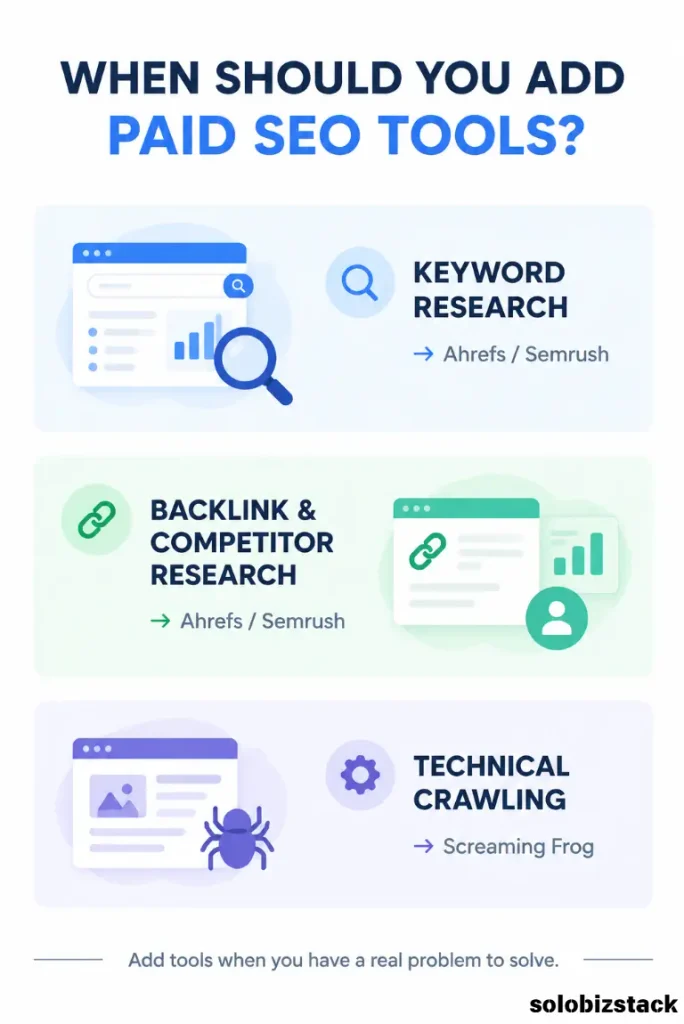
You do not need Google Search Console + Ahrefs + Semrush + Screaming Frog + five other tools just to publish a blog post.
For most small WordPress websites, I would build the stack in stages.
Stage 1: New Website
Start with:
Google Search Console
Google Analytics 4
PageSpeed Insights
Rank Math
Bing Webmaster Tools
That gives you a strong free foundation.
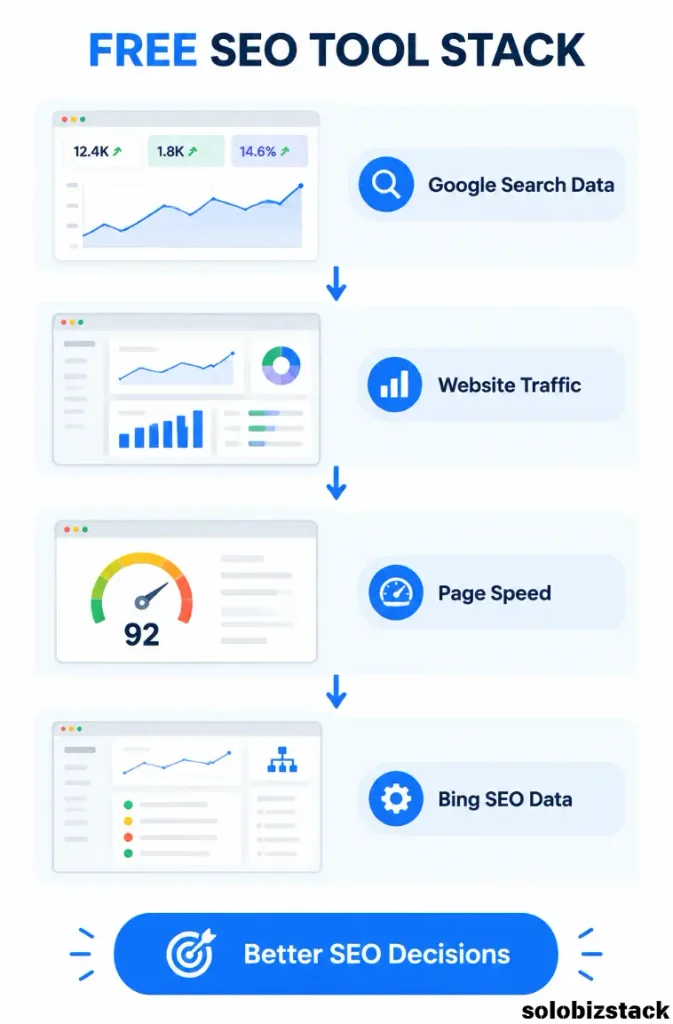
You can monitor search performance, website traffic, page performance, on-page SEO, indexing, and basic technical SEO without paying for a large SEO platform.
Stage 2: Your Site Has More Content
Once you have a growing library of articles, add one deeper SEO research platform.
That could be Ahrefs or Semrush.
The point is not to subscribe to both immediately.
Choose the one that fits the research you actually need.
If you spend most of your time investigating backlinks, competitors, and existing rankings, one type of workflow may suit you better.
If your main focus is keyword expansion, content planning, and competitive keyword research, another may fit better.
There is no universal answer for every small site.
Stage 3: Your Website Is Getting More Complex
Once your site has hundreds of URLs or a more complicated structure, a crawler such as Screaming Frog becomes more valuable.
This is especially true after:
A redesign
A migration
A category restructuring
A large content update
A change in permalink structure
At that point, technical problems become harder to notice manually.
How to Choose an SEO Tool Without Wasting Money
Before buying an SEO subscription, ask four questions.
1. What specific problem will it solve?
Do not buy a tool because it has “500 features.”
Buy it because you know what you want to do with it.
For example:
I need better keyword research.
I want to analyze competitors.
I need backlink data.
I want to audit hundreds of pages.
That gives you a real reason to evaluate a tool.
2. Do I already have another tool that does this?
This is one of the easiest ways to waste money.
For example, if Google Search Console already gives you the search performance information you need, you may not need another reporting dashboard just to see similar numbers.
Use specialist tools for deeper work rather than paying multiple platforms to duplicate the same basic information.
3. Do I have enough data to use the tool?
This matters more than people realize.
A large SEO platform can be extremely useful for a mature website.
But a brand-new website may not have enough content, rankings, competitors, or backlinks for the advanced reports to become meaningful.
Sometimes the better move is simply to publish more useful content and collect more first-party data.
4. Will I actually use it?
An expensive dashboard that you open once every three months is not necessarily a good investment.
A free tool that you check every month may be much more valuable.
Your SEO tool stack should fit your working habits.
A Simple SEO Workflow for a Small WordPress Website
You can run a surprisingly effective SEO process with a small number of tools.
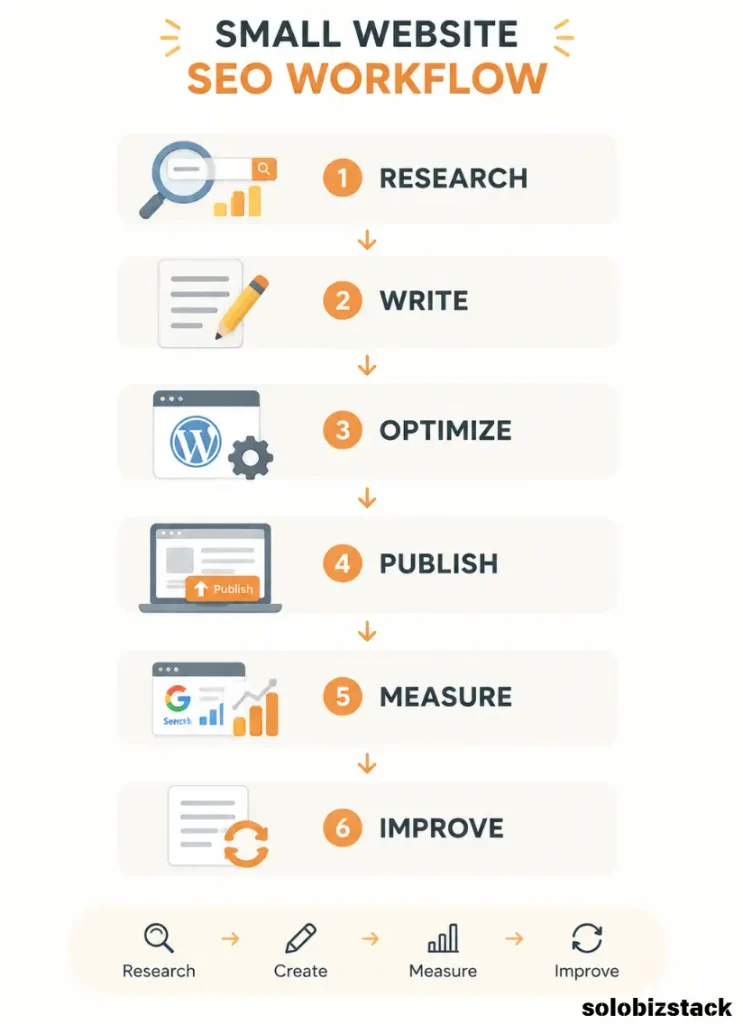
Start by researching a topic and choosing a realistic search target.
Use your keyword research tool to understand the topic and related searches.
Then write the article around the actual search intent rather than simply inserting the keyword repeatedly.
Use Rank Math to set your SEO title, meta description, URL, Schema, and internal links.
After publishing, use Search Console to see whether Google is showing the page for relevant queries.
Use Google Analytics to understand what visitors do after they arrive.
Test important pages with PageSpeed Insights to identify performance problems.
Then revisit older content.
This is where SEO becomes much more interesting.
You may discover that an article you published months ago is already appearing for several related searches.
Instead of publishing another article about the same broad topic, you can improve the existing page.
That might mean adding a missing section, answering an overlooked question, improving internal links, updating outdated information, or creating a stronger title.
This is one of the simplest SEO workflows a small site can build.
How I Would Build the SEO Stack for SoloBizStack
For a site like SoloBizStack, I would keep the setup relatively lean.
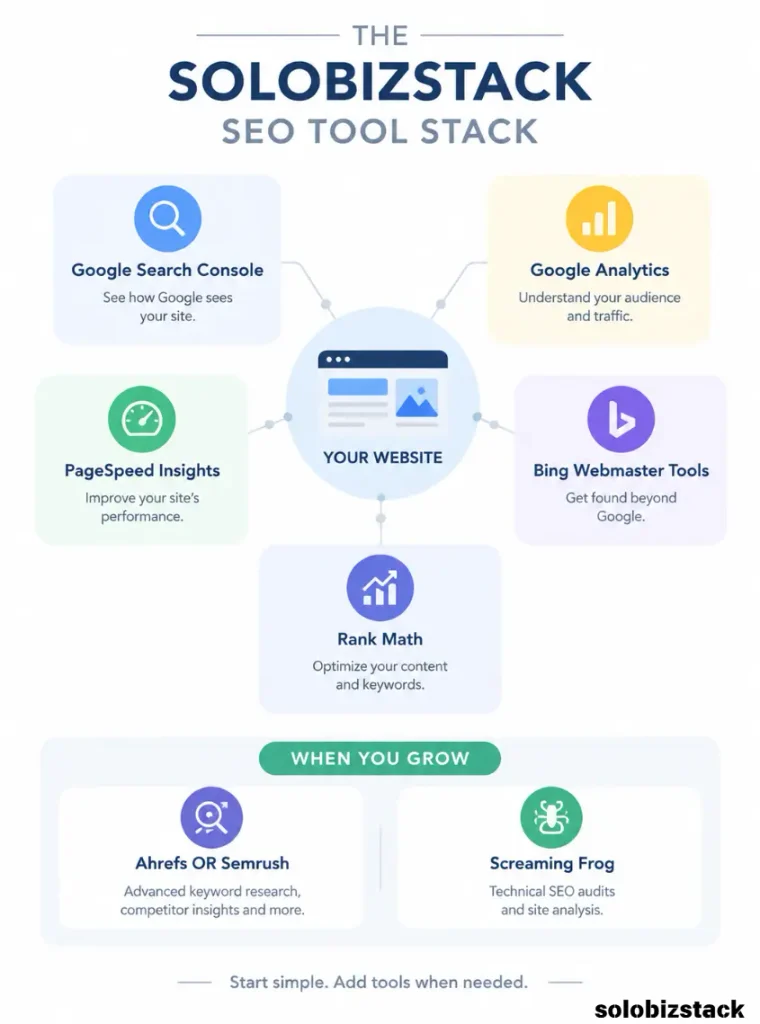
Core tools
Google Search Console
For Google search performance, queries, clicks, impressions, indexing, and Core Web Vitals.
Google Analytics 4
For traffic sources and visitor behavior.
PageSpeed Insights
For checking page performance.
Rank Math
For WordPress on-page SEO, metadata, Schema, and internal-link support.
Bing Webmaster Tools
For additional search data and technical diagnostics.
Growth tools
Ahrefs or Semrush
Use one when deeper keyword, competitor, or backlink research becomes useful.
Technical audit tool
Screaming Frog
Use it periodically when the site gets larger or after major structural changes.
That is enough.
You do not need a massive SEO technology stack to run a small website well.
How SEO Tools Fit Into an Affiliate Website
SEO tools are especially useful for affiliate sites because the goal is not just traffic.
You want relevant traffic.
For example, imagine you publish:
You could use Search Console to see what queries the page appears for.
You could use Analytics to understand what visitors do after arriving.
You could use a keyword research platform to discover related hosting questions.
You could then create supporting articles around those questions.
That turns one article into a small content cluster.
For SoloBizStack, this can be applied across:
WordPress hosting
WordPress themes
Website building
AI tools
Pinterest marketing
Outsourcing
Digital products
SEO tools
This creates a much more sustainable content strategy than publishing random articles simply because a keyword looks popular.
Related Guide: How to Build a WordPress Website for Beginners
Don’t Let SEO Tools Take Over Your Content Strategy
There is one trap worth mentioning.
SEO tools can make you feel productive.
You can spend an entire afternoon comparing keyword difficulty, checking competitor domains, exporting spreadsheets, looking at backlink profiles, and adjusting filters.
And then realize you did not publish anything.
For a small site, the tool should support your content strategy—not become the strategy.
Use tools to answer questions.
Then make something useful.
That might be a detailed tutorial.
It might be a comparison.
It might be a checklist.
It might be a real beginner guide.
The strongest SEO workflow is usually simple enough that you can repeat it consistently.
Common SEO Tool Mistakes Small Website Owners Make
Buying too many tools
Five SEO subscriptions do not automatically create five times better SEO.
Start with the tools you actually need.
Obsessing over scores
Rank Math scores, site health scores, speed scores, and third-party authority metrics can all be useful.
But they are indicators, not the actual goal.
The real goal is a website that search engines can understand and users find genuinely useful.
Checking rankings every day
Search rankings move.
Daily changes can be noisy, especially for smaller sites.
Look for meaningful patterns instead of reacting to every small movement.
Ignoring first-party data
Your own Search Console and Analytics data can tell you things that generic keyword tools cannot.
Use them.
Using keyword difficulty as the entire strategy
A keyword’s difficulty score is only one input.
Relevance, search intent, content quality, your site’s topical focus, and the strength of the pages already ranking all matter.
Creating content only because a tool says so
A keyword can have search volume and still be a poor fit for your website.
Your audience should remain the filter.
Frequently Asked Questions
What is the best SEO tool for a small website?
There is no single tool that handles every SEO job equally well.
For a small WordPress website, a combination of free Google tools, Rank Math, and one optional research platform is often more practical than relying on one large platform.
Are free SEO tools enough for a small website?
They can be.
Google Search Console, Google Analytics, PageSpeed Insights, Bing Webmaster Tools, and Rank Math can cover a large part of a beginner’s day-to-day SEO workflow.
Paid tools become more useful when you need deeper competitor research, larger keyword databases, more extensive backlink data, or more advanced auditing.
Should I use Ahrefs or Semrush?
Both can support keyword research, competitor analysis, and broader SEO workflows.
The better fit depends on which research tasks you actually perform and how much data you need. Ahrefs currently provides limited free access for verified websites, while Semrush provides limited access to keyword research features with broader capabilities available through its paid plans.
Do I need Screaming Frog?
A very small site may not need it regularly.
It becomes more useful when you have a larger number of URLs or after major changes such as a redesign, migration, or URL restructuring.
The free version currently crawls up to 500 URLs per crawl.
Should I use more than one keyword research tool?
You can, but you do not need to.
One good keyword research platform plus your own Search Console data can provide a strong starting point.
The goal is to discover useful topics, not collect the largest possible spreadsheet.
Final Thoughts
The best SEO tools for small websites are not necessarily the tools with the longest feature lists.
They are the tools that help you answer useful questions.
Google Search Console: What is Google showing?
Google Analytics: What are visitors doing?
PageSpeed Insights: Is this page performing well?
Bing Webmaster Tools: What additional search and SEO data can I learn?
Rank Math: Is my WordPress page properly configured?
Ahrefs or Semrush: What keywords, competitors, and opportunities should I investigate?
Screaming Frog: Are there technical problems across the site?
That is already a strong SEO system.
You do not need to become an expert in every dashboard.
Start with the free tools, publish useful content, collect your own data, and add paid tools only when they solve a problem you actually have.
For a small website, that approach is usually much easier to maintain—and much easier on the budget.