WordPress vs Website Builders: Which Is Better for Beginners?
Choosing the right platform is one of the first big decisions when building a website. You might have a blog idea, want to promote a small business, or plan to build an online income stream. Then you run into the same question: should you use WordPress or a website builder?
The WordPress vs website builders debate can be confusing because both options can create professional websites. The difference is how much control you want, how much technical work you are willing to handle, and how you expect your website to grow.
A website builder can get you online without making you think much about hosting, software updates, or plugins. WordPress gives you more freedom to customize your website, choose your hosting, and extend its features, but it also requires more decisions.
Neither option is automatically right for everyone. This guide compares the two approaches so you can choose the one that fits your goals, budget, and experience.
Affiliate Disclosure: This article may contain affiliate links. If you purchase through these links, SoloBizStack may earn a commission at no extra cost to you. We aim to provide useful, honest information to help you make an informed decision.
WordPress vs Website Builders: The Quick Answer
Choose self-hosted WordPress if you want flexibility, extensive customization, and a website you can develop around content, SEO, and monetization. Choose a website builder if you value simplicity, built-in hosting, and having fewer technical details to manage.
Here is the basic difference:
| Feature | Self-Hosted WordPress.org | Website Builders |
|---|---|---|
| Getting started | Requires hosting and setup | Usually guided, all-in-one setup |
| Ease of use | A learning curve, especially at first | Generally easier for beginners |
| Hosting | Arrange hosting separately | Usually included |
| Design | Themes, blocks, page builders, custom code | Templates and visual editing tools |
| Extensions | Large plugin ecosystem | Features and integrations vary by platform |
| SEO | Highly customizable through core features and plugins | Built-in SEO tools vary by platform |
| Maintenance | More responsibility for updates, backups, and security | Most platform maintenance is managed for you |
| Portability | More control over files, database, and hosting | Moving a complete site may be more restrictive |
| Blogging and content | Well suited to content-heavy websites | Capable, but features vary by builder |
| Ecommerce | Flexible options, but setup may require more work | Often simpler with a platform designed for online stores |
The table describes the general models. A specific website builder may offer advanced features, and a managed WordPress service can reduce the technical work associated with WordPress.
What Is the Difference Between WordPress and a Website Builder?
First, it is important to clarify which WordPress we are discussing.
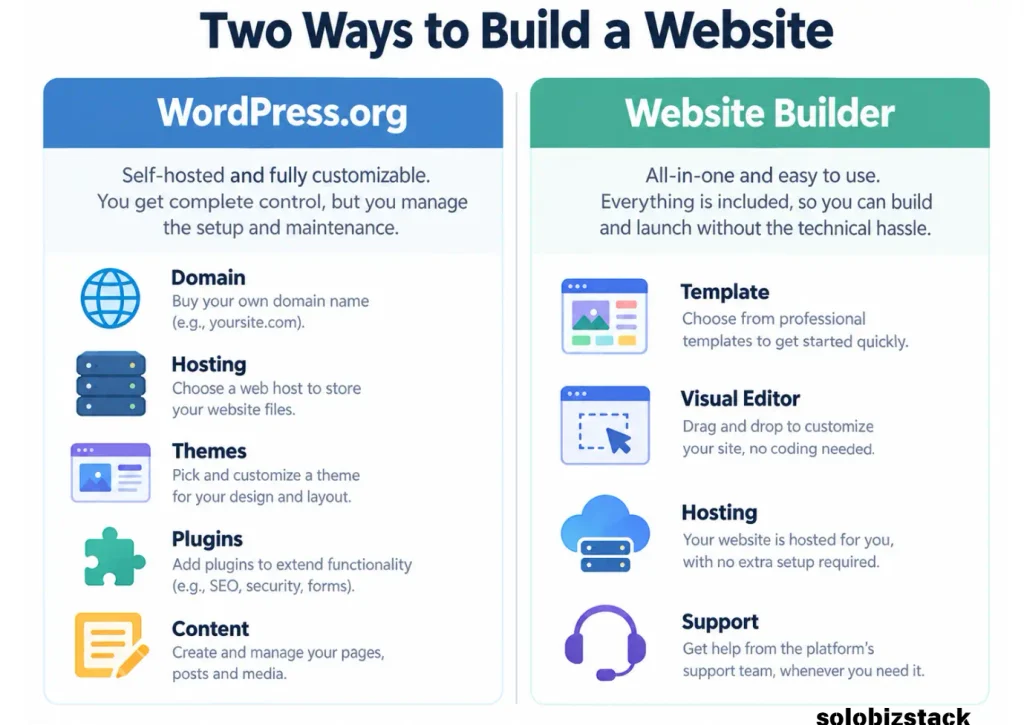
This guide focuses on WordPress.org, the open-source software that you install with a hosting provider. WordPress itself is free software, and you can extend its functionality with themes and plugins. You still need to arrange hosting and a domain, and some themes, plugins, or professional services cost extra. (WordPress.org Features)
A website builder is usually a hosted platform that combines a visual editor, templates, hosting, and other website features in one service. Wix and Squarespace are examples. Shopify is another option, especially for businesses focused on selling products online.
The distinction matters because WordPress separates the website software from the hosting service, whereas many builders bundle the website editor and hosting together. (Wix’s website builder and hosting guide)
1. Which Is Easier for Beginners?
Website Builders: Easier to Start
Website builders are designed to help people create a website without having to manage many technical details.
You typically choose a template, edit the text and images, arrange sections, connect a domain, and publish. Hosting and core platform maintenance are usually handled for you.
For someone who needs a simple portfolio, a service-business website, or a basic landing page, this can be a very comfortable starting point.
WordPress: More to Learn, More to Control
With self-hosted WordPress, you need to choose hosting, install WordPress, select a theme, configure the site, and decide which plugins are useful.
The first setup takes more thought, but the process becomes easier as you learn it. WordPress also offers visual editing through its block editor, and themes such as Kadence can help beginners build a site without writing code.
If you are willing to learn the basics, that initial effort can give you more flexibility later.
My recommendation: If your priority is getting a small, straightforward site online as quickly as possible, a builder may be easier. If you want to build a content-focused website that can expand over time, WordPress is worth learning.
[How to Build a WordPress Website for Beginners →]
2. Which Offers More Design Flexibility?
WordPress gives you several ways to shape a website. You can choose from themes, use the block editor, add a page builder, or work with a developer for custom changes. Plugins can add features that are not included in the core software.
That flexibility is helpful when your needs change. You might begin with a simple blog and later add comparison tables, resource pages, forms, membership features, or other functionality.
Website builders also offer templates, drag-and-drop editing, and customization options. For many small businesses, their built-in design controls are more than enough. Squarespace, for example, offers customizable templates and visual editing without requiring users to code. (Squarespace Website Builder)
The difference is not that builders cannot create attractive websites. It is that your design and functionality choices depend more on what the selected platform supports.
Choose WordPress when you expect to need more customization. Choose a builder when the included design tools already cover what you want to do.
3. Which Is More Affordable?
The answer depends on the complete cost, not just the advertised starting price.
WordPress.org software is free, but a self-hosted website still has expenses. These may include:
- Domain registration
- Web hosting
- Premium themes or plugins
- Email services
- Backups, security, or maintenance
- Freelance help for technical work
A website builder usually charges a subscription for the plan you choose. Hosting is often included, and some plans bundle additional features. However, the features available on free or lower-priced plans may be limited, and ecommerce or advanced business functionality can require a more expensive plan.
Use this comparison when estimating the cost:
| Cost | WordPress.org | Website Builder |
|---|---|---|
| Core software | Free | Included in the platform plan |
| Hosting | Usually purchased separately | Usually included |
| Domain | Usually paid separately | May be included for an initial period or purchased separately |
| Themes and design | Free and paid options | Templates usually included |
| Extra functionality | Plugins or custom development | Built-in features, apps, or higher-tier plans |
| Maintenance | May require your time or paid help | Most core maintenance is managed by the provider |
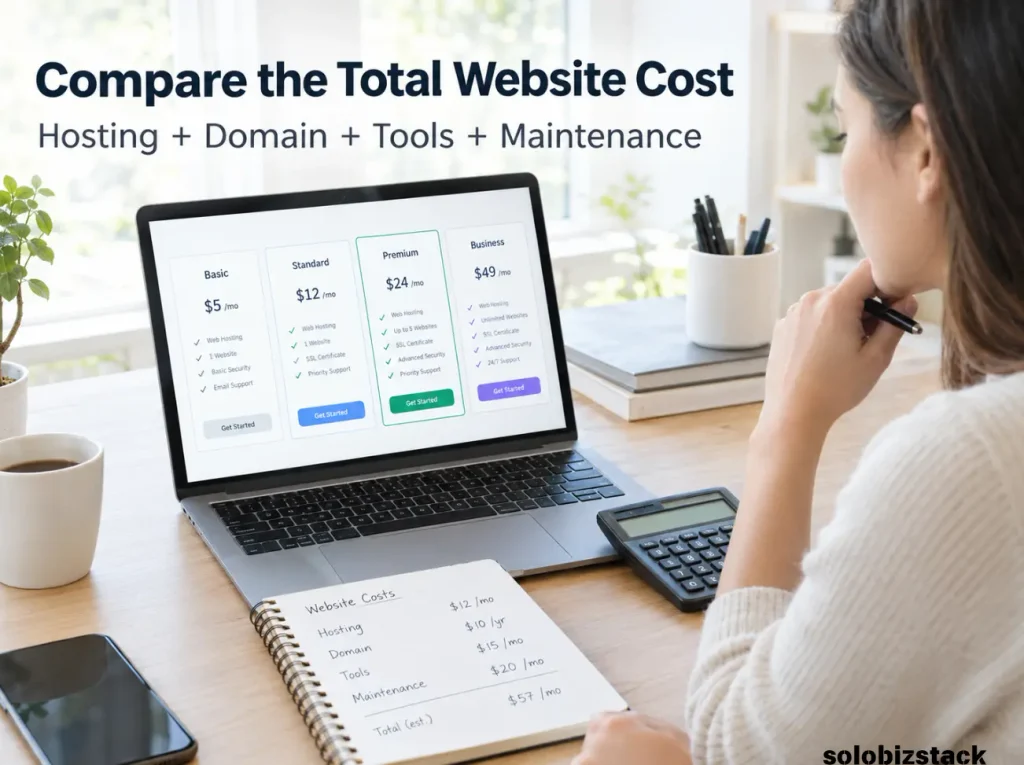
A WordPress website is not automatically cheaper, and a builder is not automatically more expensive. Compare the features you actually need and the renewal price, not just the first promotional offer.
For WordPress, you can start by comparing hosting options.
[Best Website Hosting for Beginners →]
[Explore Beginner-Friendly WordPress Hosting →]
4. Which Is Better for SEO?
Both WordPress and website builders can support SEO. Choosing WordPress does not automatically put a website at the top of Google, and using a website builder does not prevent a site from ranking.
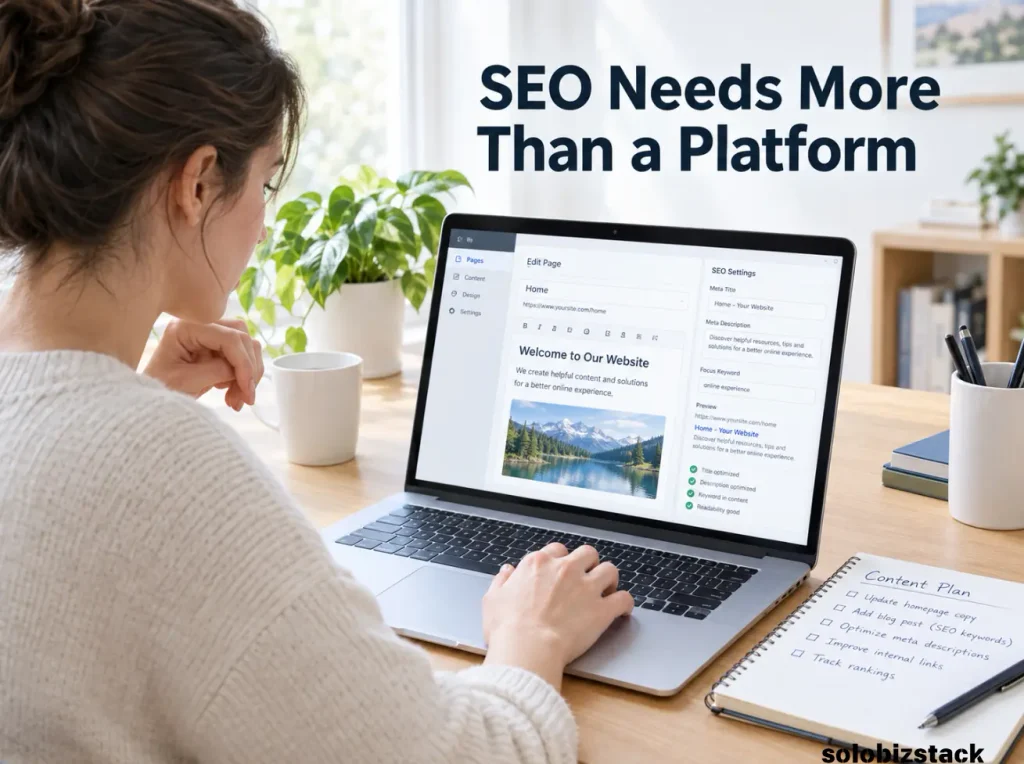
What matters is whether your site can be crawled and indexed correctly, whether your pages provide useful answers, and whether you can control important SEO elements such as page titles, descriptions, URLs, headings, internal links, and structured data where appropriate.
WordPress offers extensive SEO customization through its core features, themes, and plugins. For example, a plugin such as Rank Math can help manage common on-page SEO settings and structured data.
Website builders also offer SEO controls. Wix documents features such as customizable URLs, structured data, and robots.txt controls. Squarespace provides built-in SEO settings and guidance for page titles, descriptions, and image alt text. (Wix SEO features, Squarespace SEO tools)
The better choice is the platform that lets you maintain a technically sound site and consistently publish helpful content without creating unnecessary work.
For official guidance on the fundamentals, read Google’s SEO Starter Guide.
5. Which Requires Less Maintenance?
This is one of the biggest practical differences between the two approaches.
With self-hosted WordPress, you are responsible for keeping your website software, themes, and plugins maintained. Depending on your hosting arrangement, you may also need to manage backups, security settings, and troubleshooting. Managed hosting can handle some of this work, but the exact service varies by provider.
A hosted builder takes care of most underlying platform maintenance. You can concentrate more on the website itself instead of managing server infrastructure or software compatibility.
However, a builder does not remove every responsibility. You still need to update your content, check forms, manage accounts, use appropriate security practices, and review how your site works on different devices.
Ask yourself a simple question:
Would I rather manage more of the website myself, or pay for a service that handles more of the technical work?
Your answer may matter more than the number of features in either platform.
6. Which Gives You More Control Over Your Website?
WordPress.org provides substantial control over your website files, database, hosting choice, themes, plugins, and code. You can move the site to another compatible hosting provider, although moving a website still requires care. Theme-dependent layouts, plugin features, and custom functionality may not transfer cleanly without adjustments.
Website builders are more tightly connected to their own platforms. Some content may be exportable, but the complete design, layout, apps, and platform-specific features may not transfer to another service as a working copy.
That does not make website builders a bad choice. Many users are happy to trade some portability for a simpler experience.
Still, think beyond your first month online. If your blog grows to hundreds of posts, your site adds affiliate content, or you introduce new products and features, the ability to customize and move parts of your setup may become more important.
7. Which Is Better for Blogging and Affiliate Marketing?
If your main goal is to publish helpful articles, grow organic search traffic, build content clusters, and monetize through affiliate links, WordPress is a strong option.
You can organize content into categories, manage internal links, use SEO plugins, create custom resource pages, and add functionality as the site develops. WordPress’s plugin and theme ecosystem makes it well suited to this kind of content-led business. (WordPress.org Features)
A website builder can also run a blog and support some forms of monetization. The important question is whether the platform supports the content volume, customization, tracking, integrations, and affiliate workflows you expect to use.
For a small site with a handful of articles, almost any capable platform may be enough. For a larger content operation with many interlinked articles and several monetization paths, flexibility becomes more valuable.
[WordPress Website Checklist for Beginners →]
8. Which Is Better for Ecommerce?
If selling physical or digital products is the main purpose of your website, think about ecommerce before choosing your platform.
WordPress can support online stores through ecommerce plugins and integrations. This gives you flexibility, but you may have more decisions to make about themes, payments, plugins, and maintenance.
Shopify is built around ecommerce and provides a website editor, product tools, hosting, and checkout features as part of its platform. Its official builder documentation describes templates, custom domains, integrated SEO controls, and built-in hosting. (Shopify Website Builder)
For a beginner who wants to sell products quickly with less infrastructure management, an ecommerce-focused builder can be a better fit. If you want a more customizable content site with a store added to it, WordPress may be worth considering.
Do not choose a platform based only on its ability to display products. Consider inventory, payments, shipping, taxes, integrations, transaction costs, and how you will manage the store as it grows.
Who Should Choose WordPress?
WordPress is usually the stronger fit when you:
- Want to build a blog or content-focused website.
- Plan to publish many articles over time.
- Want greater control over design and functionality.
- Need plugins or custom integrations.
- Want flexibility around hosting and site management.
- Expect to build a detailed SEO and affiliate content strategy.
It is particularly useful for people who see their website as a long-term business asset and are willing to learn how to manage it.
Who Should Choose a Website Builder?
A hosted website builder may be a better fit when you:
- Want to launch a simple website quickly.
- Prefer a visual editor and ready-made templates.
- Do not want to manage hosting or routine software updates.
- Need a portfolio, service page, or basic company website.
- Prefer one provider for the main website tools.
- Do not expect extensive custom functionality.
For many beginners, these advantages outweigh the additional flexibility of a self-hosted setup.
How to Decide: A Simple Checklist
If you are still unsure, answer these questions before purchasing a plan.
| Your priority | Better starting point |
|---|---|
| Publish SEO-focused blog articles regularly | WordPress.org |
| Launch a basic site as simply as possible | Website builder |
| Customize lots of features with plugins | WordPress.org |
| Avoid most technical maintenance | Website builder |
| Build a content site with multiple categories | WordPress.org |
| Launch a straightforward portfolio | Website builder |
| Build an online store with integrated commerce tools | Consider Shopify or another ecommerce-focused platform |
| Keep more control over hosting and website files | WordPress.org |
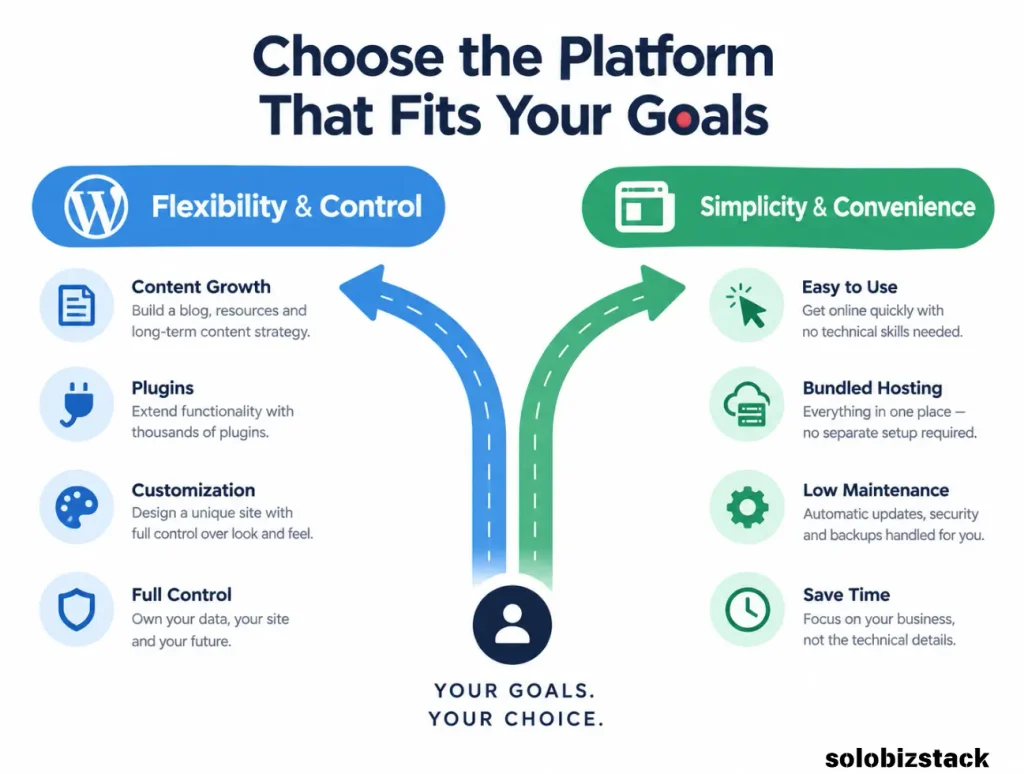
These are starting points rather than absolute rules. Your budget, technical confidence, and specific feature requirements still matter.
My Recommendation for SoloBizStack Readers
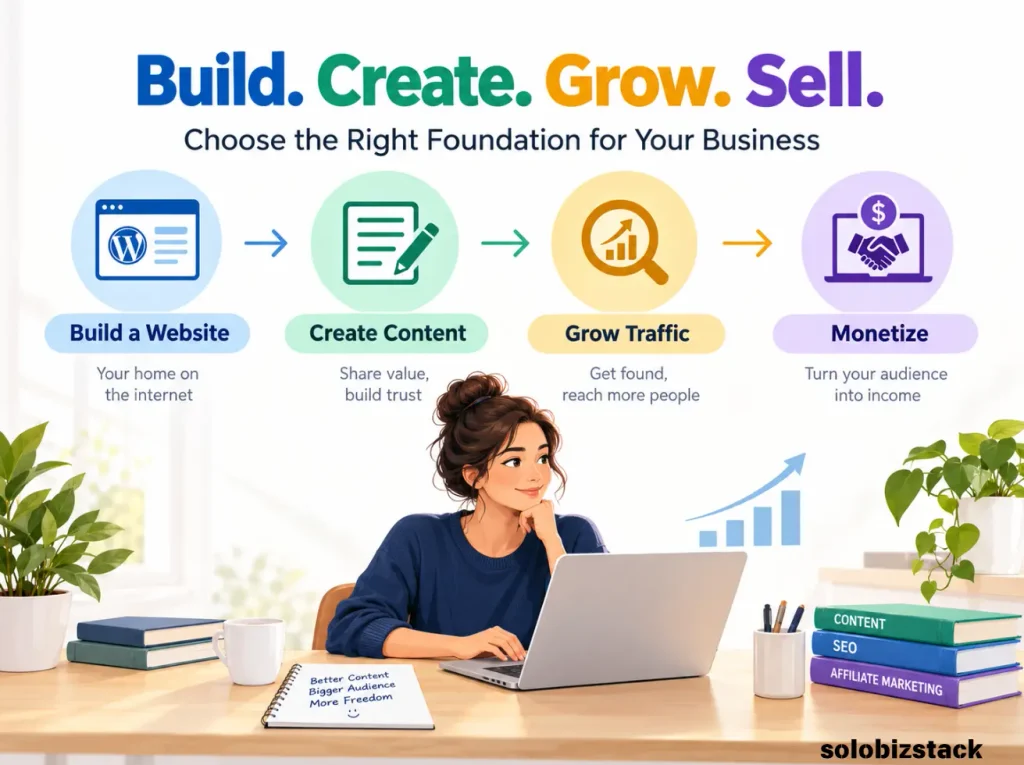
For someone building an online business around blogging, SEO, tool comparisons, affiliate marketing, and long-term content growth, I would lean toward self-hosted WordPress.
It takes more setup than a typical all-in-one website builder, but it provides the flexibility to organize a large content library, customize site pages, add useful plugins, and adapt your monetization strategy as the site grows.
If your priority is simply a beautiful five-page service website and you do not want to think about plugins or hosting, a website builder could be the more comfortable option.
Whichever you choose, avoid spending weeks comparing every available platform. Write down your main goal, list the features you actually need, estimate the full cost, and choose a platform that supports the next few years of your business—not just the first day.
[Build Your First WordPress Website →]
Frequently Asked Questions
Is WordPress better than a website builder for beginners?
WordPress may be better for beginners who want flexibility, blogging features, and control over a growing website. Website builders are often easier at the beginning because hosting, design tools, and maintenance are combined in one service.
Is WordPress cheaper than Wix or Squarespace?
Not necessarily. WordPress.org software is free, but hosting, a domain, premium plugins, and maintenance can add costs. Website builders usually charge a subscription that bundles hosting and site tools. Compare the total cost and renewal terms for the features you actually need.
Can I use a website builder for SEO?
Yes. Platforms such as Wix and Squarespace provide SEO controls for tasks such as page titles, descriptions, URLs, and other technical settings. SEO performance still depends on your content, site quality, technical setup, and the competition for your topics.
Is WordPress good for affiliate marketing?
WordPress is a strong choice for affiliate marketing because it lets you create detailed articles, organize categories, add comparison tables, manage internal links, and extend the site with plugins. The platform itself does not guarantee affiliate income; useful content and relevant recommendations still matter.
Can I move from a website builder to WordPress later?
In many cases, you can move some content, such as text, images, or blog posts, but the process depends on the original platform. Design layouts, apps, and certain features may need to be rebuilt. Before choosing a platform, check its export options and consider how much content you may need to migrate.
Do I need coding skills to use WordPress?
No. Many beginners build WordPress sites using themes and the block editor without writing code. Coding can help with advanced customization, but it is not a requirement for creating a basic website.
Which is better for a small business website?
It depends on the business. A simple portfolio or service website may be easier to manage with a builder. A content-heavy website that needs extensive SEO customization, publishing workflows, or special functionality may benefit from WordPress.
Final Thoughts
The WordPress vs website builders decision comes down to what you value most.
WordPress gives you more flexibility and control, particularly for content-heavy websites and businesses that expect to expand. Website builders make it easier to launch and maintain a site without dealing with as many technical details.
You do not need the most complicated platform, and you do not need the one with the longest feature list.
Choose the platform that helps you publish useful content, serve your visitors, and grow your business without creating unnecessary work.
For a content-led online business, WordPress is often a practical long-term foundation. For a simple website where ease of use comes first, a website builder can be an excellent choice.
The right platform is the one you can manage confidently and build on over time.